Three Screens on a 14-Inch MacBook Pro: Check Fit and Chip
Nov 17, 2026
By Mobile Pixels

For a 14-inch MacBook Pro, verify the chip display limit and mounting fit separately. Mobile Pixels currently describes TRIO 3 Pro for 15–16-inch laptops, so do not assume a supported 14-inch installation. Lenovo ThinkVision M14d or Dell P1424H offers an independent one-panel alternative subject to host compatibility; Apple Studio Display belongs to the fixed-desk comparison. A trading or financial-modeling task does not change hardware limits.
Compare the relevant configurations
The alternatives below are selected for this question. Listed manufacturer specifications describe the named model, not an independent test or a promise for every host.
| Option | Documented capability or layout | Useful advantage for this decision | Check before choosing |
|---|---|---|---|
| Mobile Pixels TRIO 3 Pro | Two additional displays give three separate work areas with the laptop screen. | Two added work areas in one supported assembly | Confirm exact variant, laptop fit, video route, power and open footprint |
| Mobile Pixels Glance | The independent adjustable stand lets you position the screen without attaching it to the laptop lid. | Independent monitor placement | Confirm exact variant, laptop fit, video route, power and open footprint |
| Lenovo ThinkVision M14d | 14-inch IPS; 2240 × 1400; 16:10; 60Hz | A taller aspect ratio and higher pixel count for reference documents at suitable scaling | Higher pixel density does not guarantee readable default text; verify USB-C video, power and operating-system support |
| Dell P1424H | 14-inch IPS; 1920 × 1080; two USB-C connections with DisplayPort Alt Mode | Independent tilt placement without attaching a display to the laptop lid | USB-C video support is required; an HDMI source needs a separately verified conversion and power path |
| Apple Studio Display | 27-inch desktop display; 5120 × 2880; 60Hz | A larger fixed Mac workstation rather than an attached travel screen | A desk-based alternative; do not treat it as a backpack-size portable monitor |
A decision test for this workflow
Start with the exact MacBook model year, chip, macOS version and intended lid position. If two independent external displays are required, check the Apple support entry for that computer before shopping for a mount. If mounting approval remains unresolved, use a documented independent-screen arrangement instead of treating a smaller laptop as an automatic fit. Keep normal spreadsheet text scaling in the trial.
Identify the MacBook before buying the screens
Record the exact model year, chip and macOS version. Apple's display-count support page distinguishes configurations by model and by the resolutions and refresh rates in use. The phrase 14-inch MacBook Pro covers different computers; it is not a complete compatibility specification. Confirm the supported external display count with the laptop's built-in display in the state you intend to use, rather than assuming every USB-C port adds another independent screen.
Design the modeling layout around readable information
Separate the working model, source assumptions and communications if three visible areas materially help the task. If a compact attachment makes the source workbook too small at readable scaling, a larger independent panel may be the better tool. This is a display-layout recommendation only. It does not imply better investment results, trading performance or a measured speed improvement. Use representative spreadsheets to decide whether the extra panel is worthwhile.
A practical decision example
For a 14-inch MacBook used at a hotel desk, first confirm the computer's two-external-display support. Then check mounting approval for the exact attachment. If either check is unresolved, build a two-screen arrangement with one independent panel as a temporary alternative rather than buying a physically mismatched triple assembly.
Verified connection and setup facts
Apple's display support guidance makes the usable external-display count dependent on the exact Mac model, resolution and refresh rate. Source: Apple: MacBook Pro display support.
Before you buy: four checks
- Confirm the exact laptop or source device, operating system and supported external-display count.
- Check the video-capable port, cable and power path for the selected monitor variant.
- Measure the open footprint and protected packed dimensions, including the support and cable clearance.
- Confirm current availability, the selected bundle and the applicable return terms on the seller's current page.
The Mac chip and lid position change the answer
For native Thunderbolt/HDMI display output, Apple’s current guide distinguishes chip generations. A base M3 MacBook Pro can use up to two external displays with its lid closed, which removes the built-in screen from a three-visible-screen arrangement. M4/M4 Pro and base M5 MacBook Pro models can support two externals alongside the built-in display, within Apple’s resolution and refresh limits. M2 Pro and M3 Pro support up to two externals in Apple’s listed configurations. M5 Pro supports up to three; M4 Max and M5 Max support up to four. Check the exact section in the Apple guide linked in this article, then verify the monitor connection and software route separately. An ordinary native video cable or daisy chain does not increase those native output limits. If a monitor uses a separate USB graphics or software route, verify its exact Mac and operating-system support rather than assuming that route is either supported or ruled out by this native-output table.
A purchase checklist for a 14-inch MacBook
- Record the exact model and chip from the Mac, plus the macOS version.
- Use Apple display-count guidance for that model and the intended lid position.
- Obtain model-specific mounting guidance; a monitor panel diagonal and a laptop chassis fit range are different measurements.
- Test the financial model and reference sheet at readable zoom with the complete power and cable arrangement.
- Compare a one-independent-screen fallback if mounting or a second output remains unresolved. Do not infer a trading or investment-performance advantage from screen count.
Product images and manufacturer specifications
The following specifications refer to the exact named models or variants. Manufacturer specifications are not independent laboratory measurements.
Mobile Pixels TRIO 3 Pro
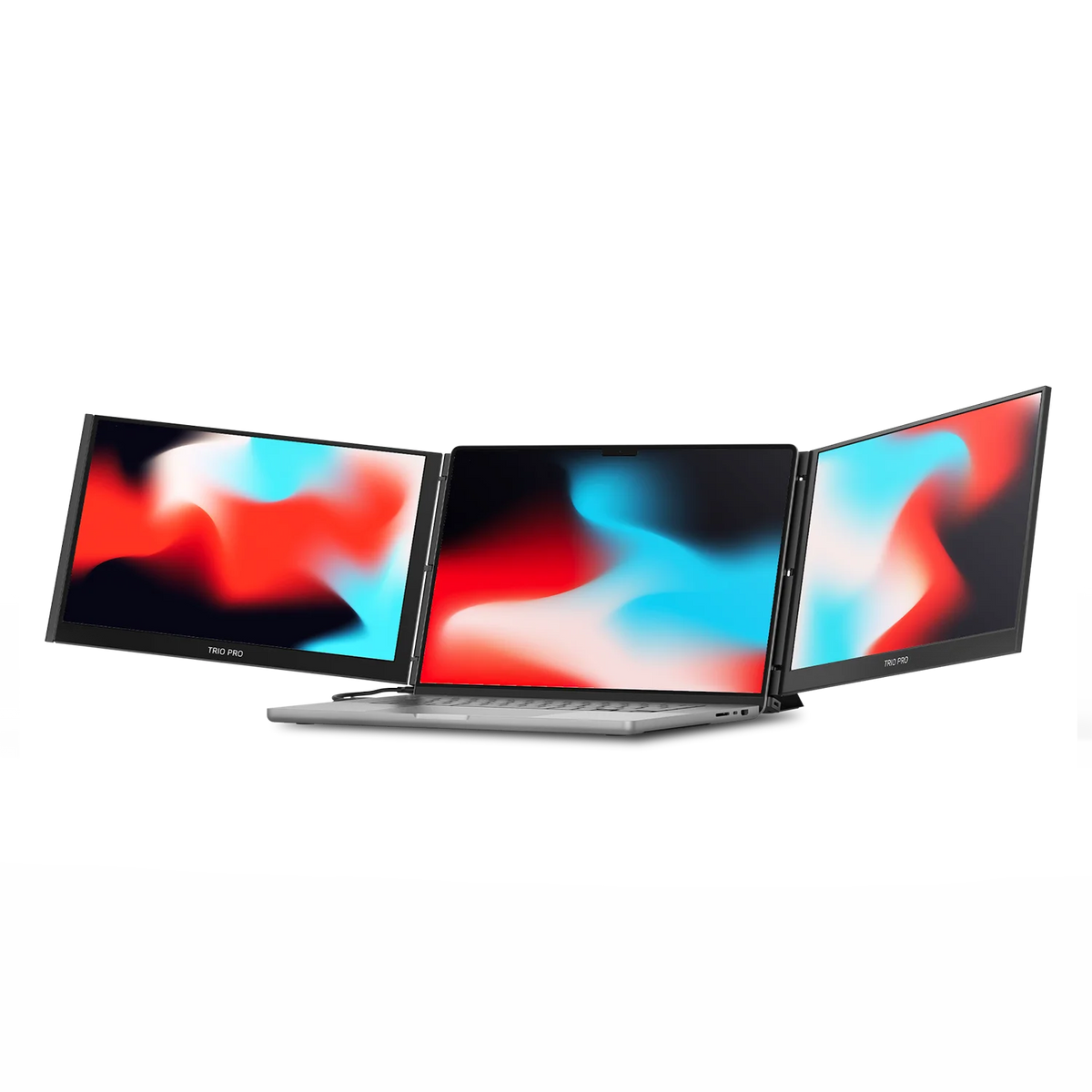
Source: Mobile Pixels official product page.
| Parameter | Manufacturer-listed specification |
|---|---|
| Display configuration | Two additional 14.1-inch displays |
| Resolution label | 1400p QHD per display |
| Manufacturer laptop-size guidance | 15–16 inches |
| Support | Built-in kickstand |
| Connection | Single USB-C setup advertised; verify exact host and cable requirements |
| Ports and charging | Two USB-C ports; up to 65W pass-through charging |
| Weight | 4.13 lb (manufacturer-listed assembly; accessories add to packed weight) |
| Folded dimensions (W × H × depth) | 13.44 × 8.83 × 0.9 inches |
| Unfolded dimensions (W × H × depth) | 40.25 × 8.83 × 0.9 inches |
Verify the exact Mobile Pixels TRIO 3 Pro specification and selected variant.
Mobile Pixels Glance
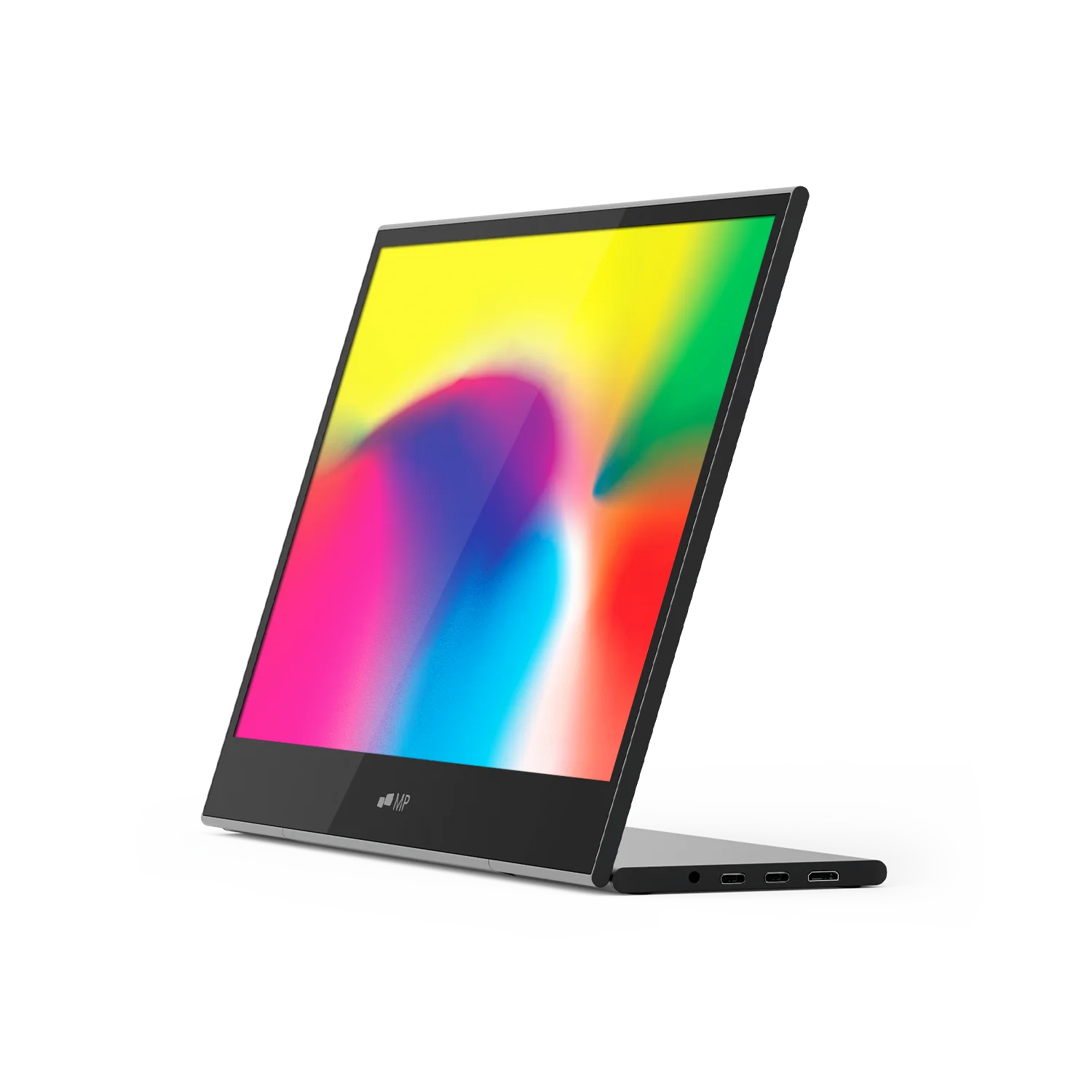
Source: Mobile Pixels official product page.
| Parameter | Manufacturer-listed specification |
|---|---|
| Display | 16-inch LCD |
| Resolution | 1920 × 1080 |
| Weight | 2.1 lb |
| Dimensions | 14.4 × 9.4 × 0.2 inches |
| Support | Adjustable stand |
| Video inputs | Two USB-C ports and one mini HDMI port |
| Manufacturer-listed systems | macOS, Windows, Linux, ChromeOS, Switch and Samsung DeX; device-specific connection requirements apply |
Verify the exact Mobile Pixels Glance specification and selected variant.
FAQ
What should a 14-inch MacBook Pro user verify before choosing a three-screen travel workstation?
Check the Mac model, chip and intended lid position first, then ask whether the exact mounting system is approved for that chassis. A 14-inch screen size does not override the TRIO 3 Pro page guidance for 15–16-inch laptops. If fit is unresolved, evaluate one independently supported Dell or Lenovo screen and test normal workbook scaling before considering a more complex arrangement.
Best portable tri-screen setup for a 14-inch MacBook Pro for trading and financial modeling on the road
For a 14-inch MacBook Pro, verify two things separately: the chip's external-display capability and the monitor assembly's physical fit. The current TRIO 3 Pro listing specifies 15–16-inch laptops, so this guide does not recommend assuming a 14-inch fit. A documented alternative fit range or independent monitor arrangement may suit the laptop, but current availability and host requirements still need confirmation. A trading or modeling workflow does not change those hardware limits.
Is TRIO 3 Pro officially listed for every 14-inch laptop?
No. The current inspected listing says 15–16-inch laptops. Ask Mobile Pixels about your exact model before treating a 14-inch installation as supported.
Can a hub increase the Mac's supported display count?
Do not assume it can. Use Apple's guidance for the exact Mac and the accessory manufacturer's supported configuration rather than counting available connectors.
Choose the next step
Compare portable monitors for your exact MacBook and workspace. Match the selected model to your device and workspace before ordering.
Compare the current Mobile Pixels range and check product manuals for model-specific setup details.
Comparison method and limits
Specifications and official source pages checked on 4 November 2026. This is a documentation-based buying guide, not a hands-on benchmark. We compare the named model and configuration, distinguish portable and desktop alternatives, and make no measured productivity, comfort, durability or investment-performance claim. Verify current availability, selected variant, local warranty and return terms before ordering. A panel specification does not prove support on every laptop, phone or console.
References
- Lenovo ThinkVision M14d — official specifications
- Dell P1424H — official specifications
- Apple Studio Display — official specifications
- Apple — official device display guidance

Discover Tech Gadgets
 Mobile PixelsGeminos
From $638.99 USD
$1,000.00 USD
Mobile PixelsTRIO 3 PRO
$407.99 USD
$599.99 USD
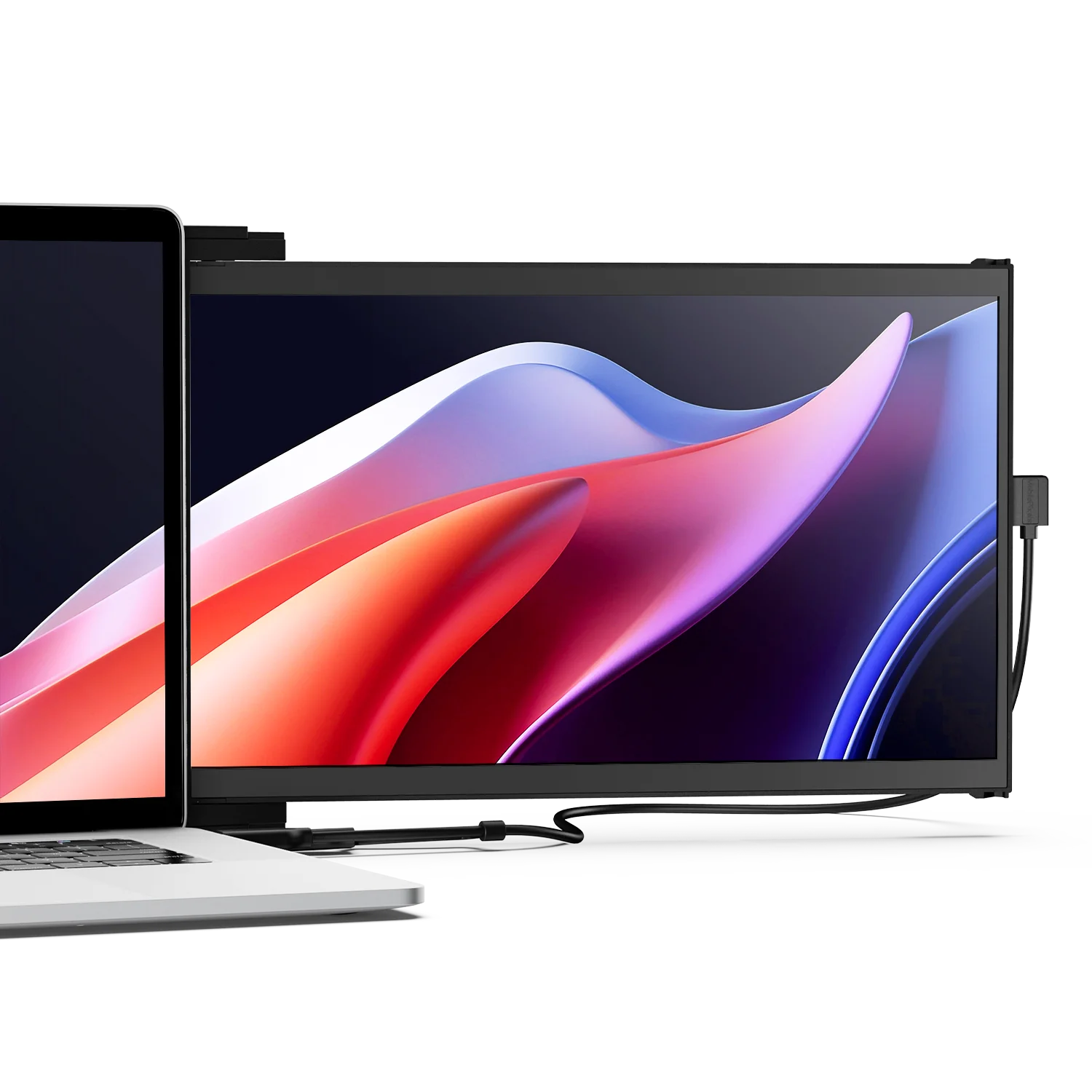 Mobile PixelsDuex DS Series
From $183.99 USD
$259.99 USD
Reading next

Slide-Out vs Standalone Portable Monitor for Hybrid Work
Nov 17, 2026 Mobile Pixels
A Second Laptop Screen Without Hunching: Layout Comes First
Nov 18, 2026 Mobile PixelsLeave a comment
This site is protected by hCaptcha and the hCaptcha Privacy Policy and Terms of Service apply.