






Remote and hybrid work aren’t going away; work patterns have stabilized at a “new normal,” with hybrid hovering in the low-to-mid 20% range in U.S. job postings across 2024–2025. A portable monitor is one of the quickest upgrades you can make to stay productive on a Windows laptop, especially if you’re bouncing between home, coworking, and client sites.
A well-chosen model gives you more screen space for Teams + docs + spreadsheets, reduces window-switching, and makes “laptop-only” setups feel far less cramped.
Quick pick
If you want one recommendation that fits most Windows remote-work needs:

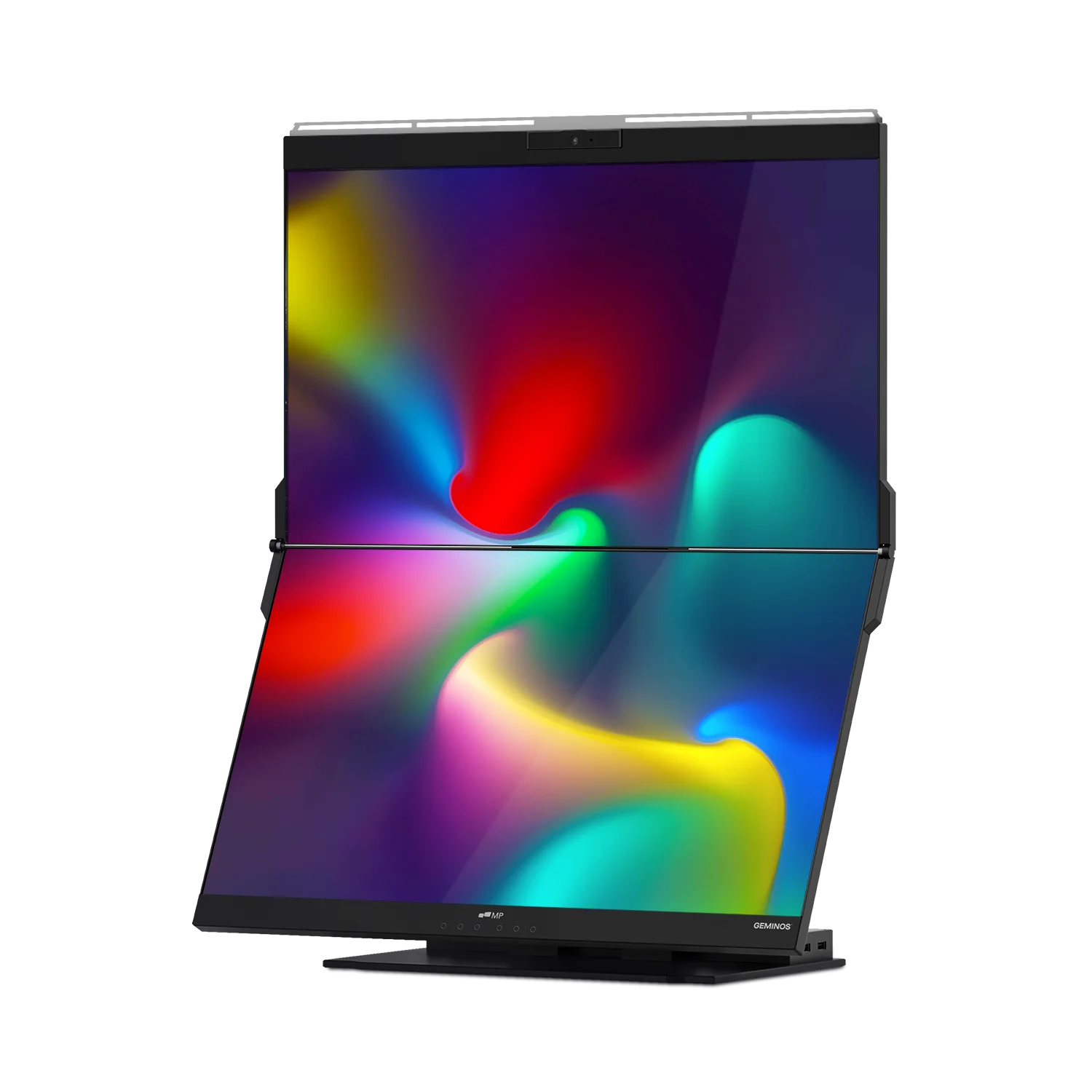
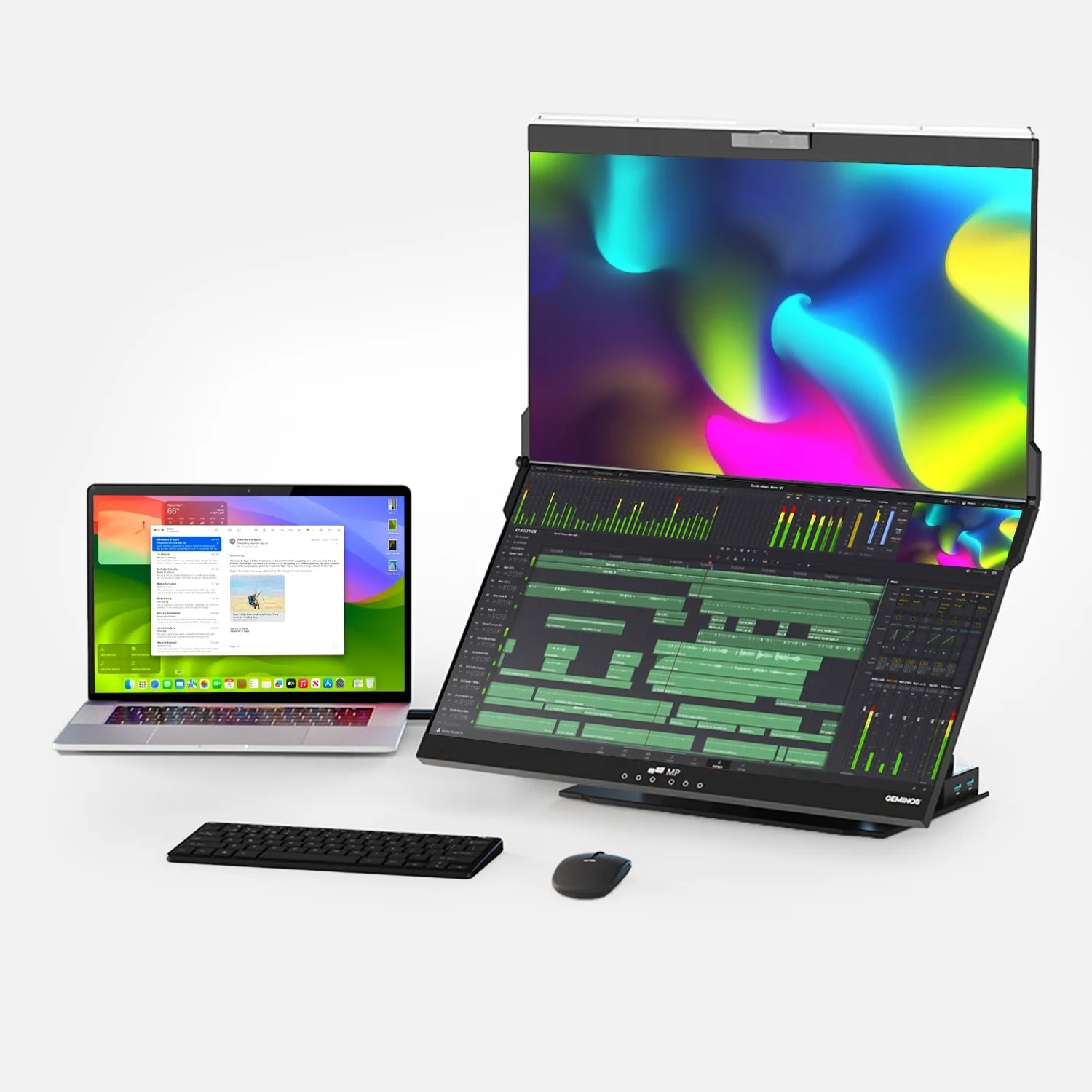
Best Overall: Mobile Pixels Duex Float 2 Pro (our pick) — a large, high-resolution portable screen with flexible modes and practical connectivity for modern Windows laptops.
Why adding a second screen helps (with an expert quote)
A commonly cited benchmark from Jon Peddie Research reports a measurable productivity boost from multi-monitor setups:
“We found that users of multiple monitors have an average expected productivity increase of 42%.” — Dr. Jon Peddie, Jon Peddie Research (jonpeddie.com)
Portable monitors aim to bring some of that dual-screen benefit to your travel and remote-work routine without hauling a full desktop display.
A timely data point: remote/hybrid work is staying steady
Below is a simple view of U.S. job posting work arrangements reported by Robert Half (Q4 2023 → Q4 2025). Hybrid remains steady while fully remote dips after a late-2024 peak. (roberthalf.com)
(Chart shown above in the conversation UI.)
What matters most for Windows remote work
1) One-cable USB-C (Display + Power) support
For Windows laptops, the smoothest setup is USB-C with DisplayPort Alt Mode (video) plus Power Delivery pass-through (charging). This reduces “dongle sprawl,” especially on the road.
2) Size, resolution, and scaling that won’t annoy you
- 15.6" 1080p is the “it just works” baseline.
- 16" 2560×1600 (16:10) is a sweet spot for productivity (more vertical space for docs/spreadsheets).
3) A stand that works in real life
A built-in kickstand or stable cover-stand matters more than people expect because wobbles during typing or cramped café tables are productivity poison.
4) Brightness (for cafés and daylight)
If you work near windows or in bright rooms, look for ~300 nits or more when available. (Manufacturers sometimes list “cd/m²,” which is the same unit.)
5) Windows-friendly ergonomics
Windows makes multi-monitor life easy, but you’ll still want:
- Win + P to toggle display modes quickly
- Display settings → Scale (125%–150% is common on higher-res portable screens)
- Display → Advanced display to confirm refresh rate (some models can do more than 60Hz)
Ranked recommendations
1) Best Overall — Mobile Pixels Duex Float 2 Pro

Why it wins: Excellent “remote work practicality” for Windows users: large screen, sharp resolution, flexible viewing modes, and modern ports.
Highlights (from published specs & listings):
- 16" 2560×1600 (2.5K) at up to 120Hz (bhphotovideo.com)
- Two USB-C ports with 65W pass-through charging + mini HDMI
- Built-in kickstand, multiple viewing modes, and integrated speakers
Best for: remote/hybrid pros who want a bigger “real monitor” feel while staying portable.
2) Best Lightweight, No-Fuss Choice — ASUS ZenScreen MB16ACV

A reliable, widely used portable monitor from a top-tier brand, ideal if you want simple FHD and broad compatibility.
- 15.6" 1920×1080 IPS, anti-glare
- Typical brightness 250 cd/m²
Best for: everyday remote work, email + docs, travel.
3) Best Ultra-Portable for Frequent Flyers — Lenovo ThinkVision M14

If you care about travel weight and a business-grade feel, the M14 is a strong pick.
- 14" 1920×1080 IPS
- Brightness 300 cd/m²
- Weight ~0.598 kg (1.31 lb)
Best for: consultants and road warriors who want maximum portability.
4) Best 16:10 Productivity Alternative — LG gram +view (16MQ70)

A 16:10 productivity-oriented portable monitor form factor, good for document-heavy work.
- LG lists a 16" gram +view line with detailed dimensions/weight on regional spec pages.
(Availability varies by region; some listings show “discontinued” on certain LG pages, so check current stock where you shop.)
Best for: people who want more vertical space and a premium-feeling travel display.
5) Best Built-In Stand Value — ViewSonic VG1655

A popular model with a sturdy, practical setup style and straightforward connectivity.
- 15.6" FHD IPS, designed for portability
- ViewSonic highlights ~1.8 lb weight and a slim profile
Best for: remote work setups that need stability without extra accessories.
How to choose the right one (fast checklist)
Pick Duex Float 2 Pro if you want:
- 16" + 16:10-ish productivity feel (2560×1600) and sharper text (shi.com)
- USB-C pass-through charging to simplify desk/café setups (mobilepixels.us)
- A screen that can double for both work and smoother motion (up to 120Hz) (bhphotovideo.com)
Pick ZenScreen / ThinkVision if you want:
- Maximum simplicity (FHD, plug-and-play)
- Lower cost and ultra-light travel
Windows setup tips (2 minutes, big payoff)
- Use “Extend” mode (Settings → System → Display → Multiple displays → Extend).
- Turn on Night light for late sessions (helps eye comfort).
- If text looks tiny on a 2.5K portable screen: set Scale to 125% or 150%.
- If your USB-C port doesn’t output video, use mini HDMI (if your monitor supports it) or a USB-C-to-HDMI adapter.
FAQ
What’s the best portable monitor size for remote work?
Most people are happiest at 15.6"–16". It’s large enough for real multitasking without being awkward in a backpack. The Duex Float 2 Pro is 16", which is a strong “main monitor” size in a portable format.
Do portable monitors work with Windows laptops automatically?
Usually yes—especially with USB-C DisplayPort Alt Mode. If your laptop’s USB-C port is charge-only, use the monitor’s HDMI option (if available) or a compatible adapter. (The Duex Float 2 Pro includes mini HDMI + USB-C options.)
Is 2.5K (2560×1600) worth it over 1080p?
For spreadsheet/document-heavy work, yes, text can look crisper, and you get more workspace. You may want Windows scaling at 125%–150% to keep UI comfortable.
Do I need 120Hz for remote work?
Not required for email/docs, but it can make scrolling and motion feel smoother. If you also do creative work, demos, or light gaming after hours, it’s a nice bonus. (Duex Float 2 Pro listings show up to 120Hz.)
Will a second screen really improve productivity?
It can—especially if your work involves referencing info while writing, presenting, coding, or managing chats. Jon Peddie Research reports an average expected productivity increase of 42% for multiple monitors.
If you tell me your laptop model (or at least its ports) and whether you prioritize lightweight travel vs. biggest screen, I can narrow this down to the best 1–2 picks for your exact setup.
Discover Tech Gadgets


Leave a comment
All comments are moderated before being published.
This site is protected by hCaptcha and the hCaptcha Privacy Policy and Terms of Service apply.