





Installation
Trio 3 and Trio 3 Pro
3rd Generation

Installation guide
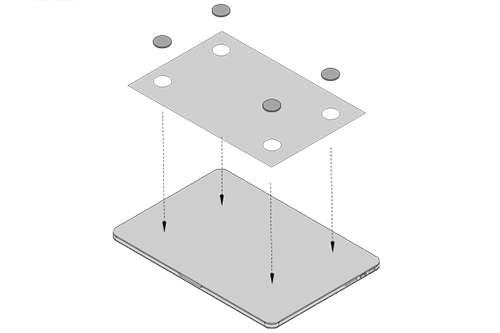
Step 1
Center and square the template on the back of your laptop. (Clean laptop surface first with included alcohol pad. Wait 10 secs for surface to dry.)
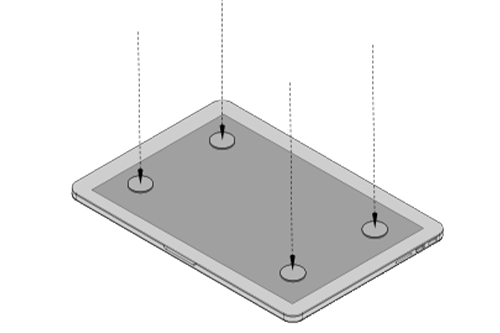
Step 2
Place/ adhere magnet(s) into unfilled holes and press down to make sure it is firmly adhered, then remove template and mount your Trio or Trio Max monitor.

Step 3
Detach the kickstand folio.

Step 4
Swivel the displays to the ideal
viewing angle.

Step 5
Fold up the kickstand.

Step 6
Connect USB cables.
Didn't find a solution?
If you cannot find what you're looking for, contact us directly and we will assist you.