




Tetra Keyboard

Sale price$199.99 USD Regular price$399.99 USD Markdown price
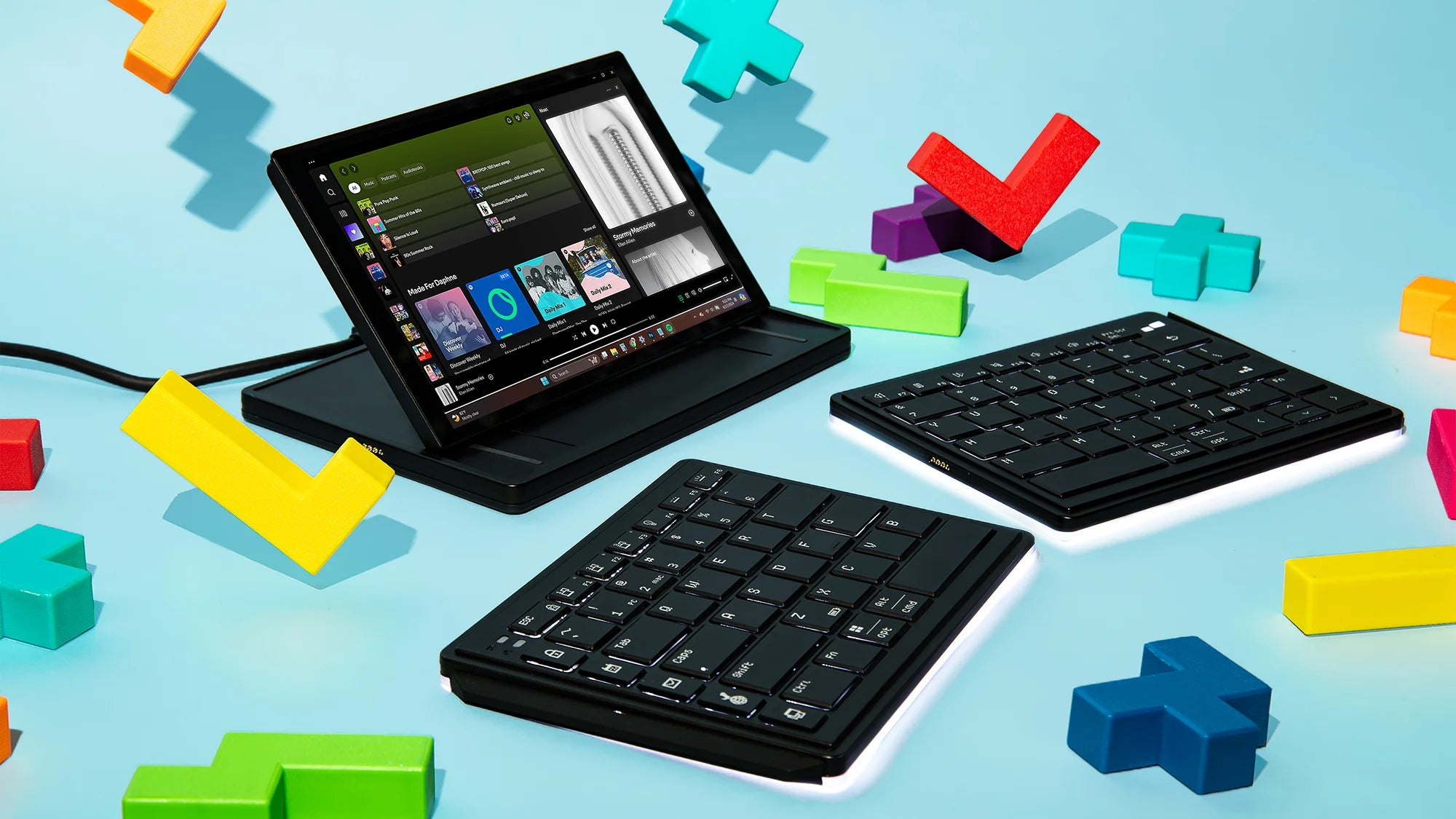
  • Ergonomic split layout for a comfortable typing experience
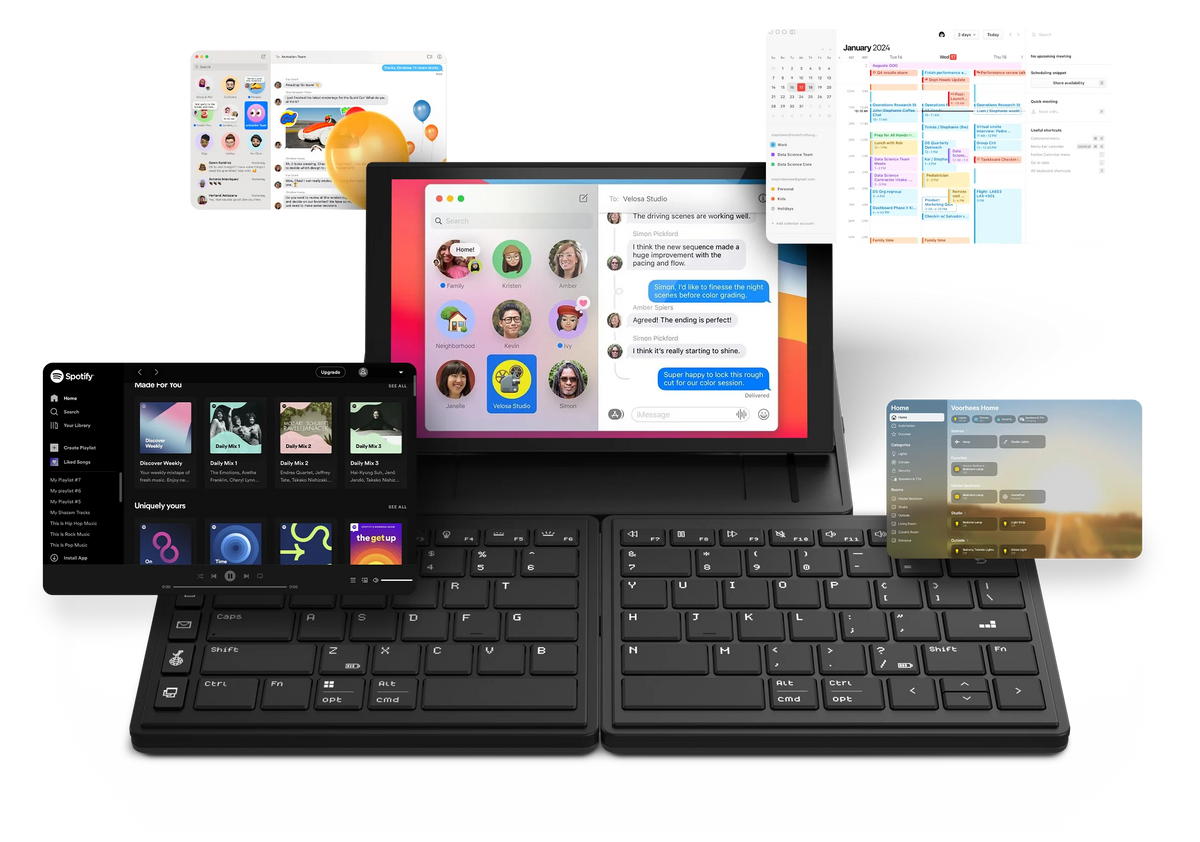
  • Integrated 8-inch 16:10 multi-touch display
  • Customizable hotkeys
  • Instantly activate commands with a single tap
  • User-friendly software
  • Long-lasting battery life
  • Connect up to 3 devices
Add Extended Warranty
How much more money can you make with using external monitors? See Details
2 Years of Peace of Mind, On Us!
Free Shipping to US | Canada on Orders Over $200 CAD

Efficiency Improvement

Your salary
$
Hourly
Annualy
Working time per week
Hours

Estimated Income Value

How much value can you create by adding one or two additional screens to increase efficiency?

Using multiple monitors

$0.00

Using single monitor

$0.00

Weekly
Monthly
Annually

Actual savings can vary depending on usage and other cost assumptions.

Watch Video

2025 German iF Award

Split. Touch. Type.

Experience natural posture, enhanced productivity, and seamless connectivity, all in one meticulously crafted keyboard.

Tetra Ergonomic Split Keyboard
Tetra ergonomic split keyboard for work

Ergonomic Design

Next-Level Typing Comfort.

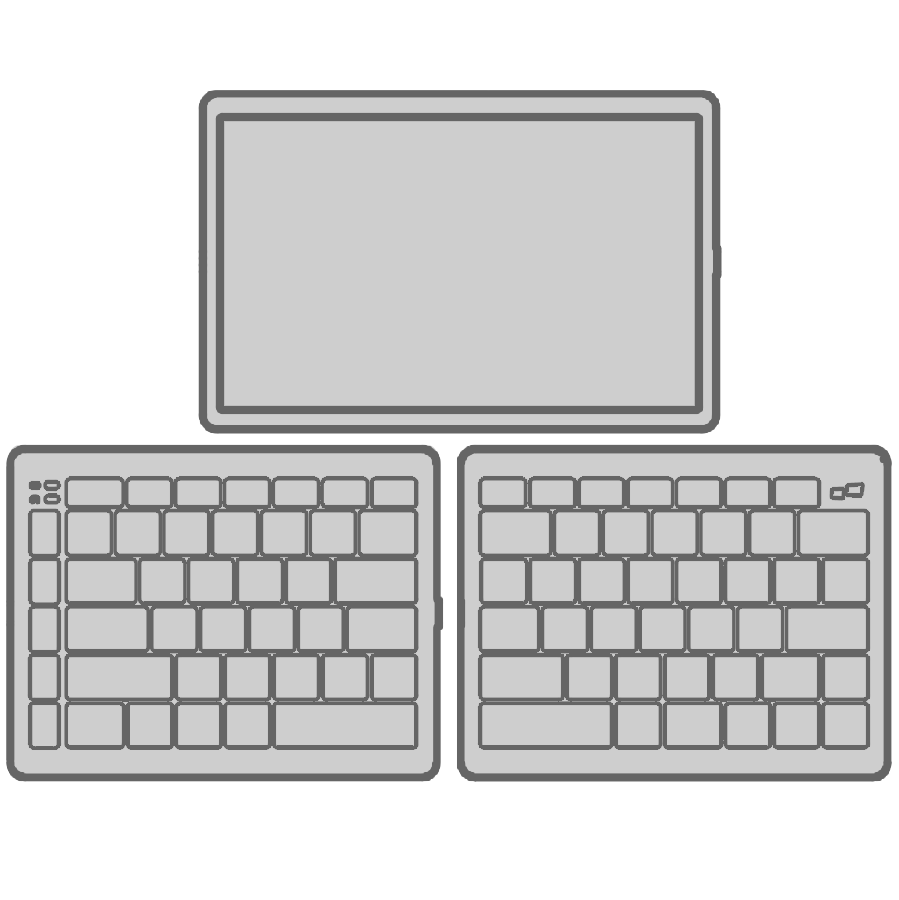
Experience the ultimate adaptability with three unique configurations. The Tetra keyboard gives you freedom to set your workspace up exactly the way you want.

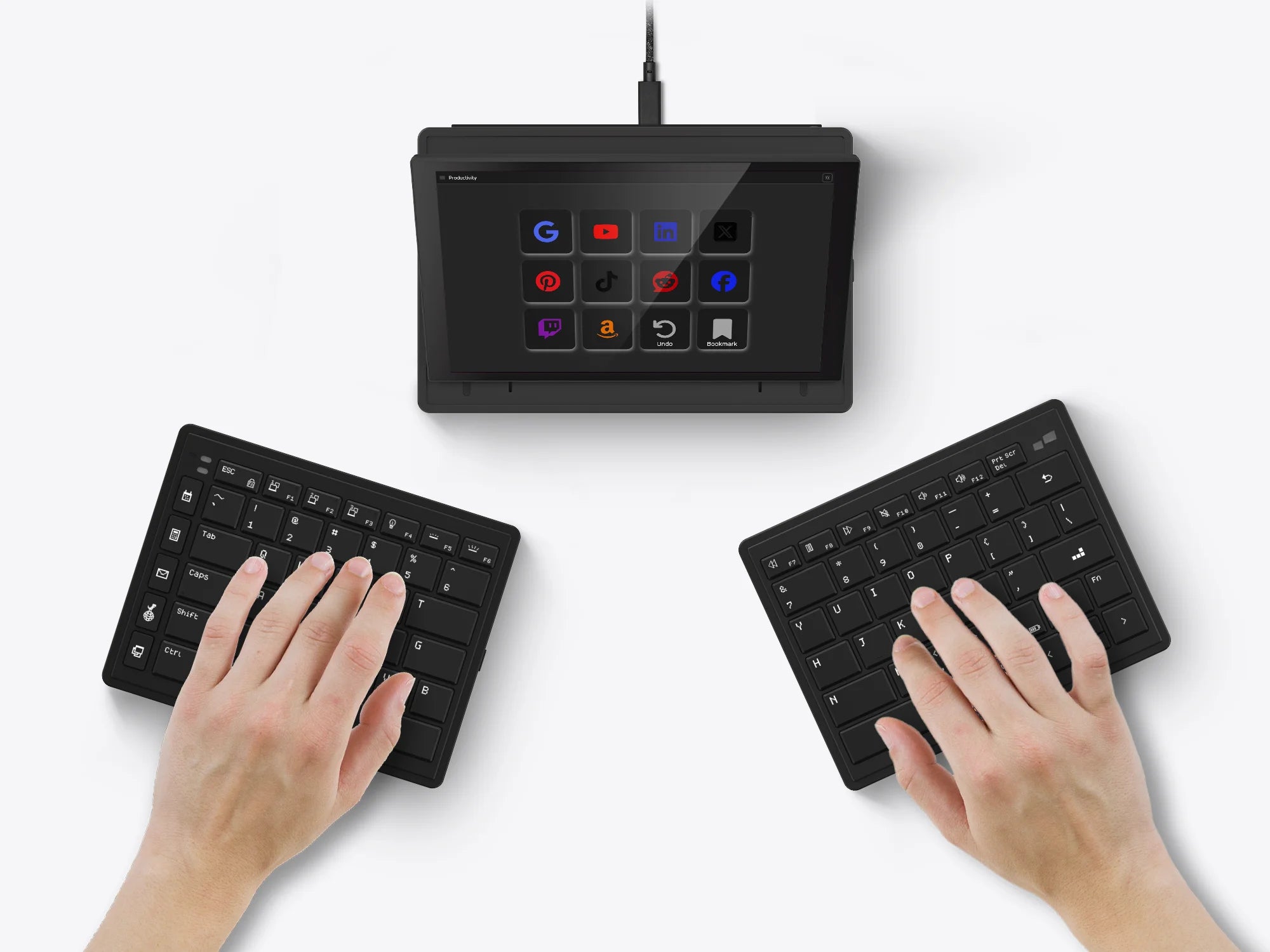
Tetra Keyboard in Split Mode

Split Mode

Split mode for ultimate freedom. You can separate the two key modules. Increasing the space between your left and right hands while typing. This enables you to type with your hands comfortably at shoulder width apart and with wrists straight to avoid ulnar deviation.

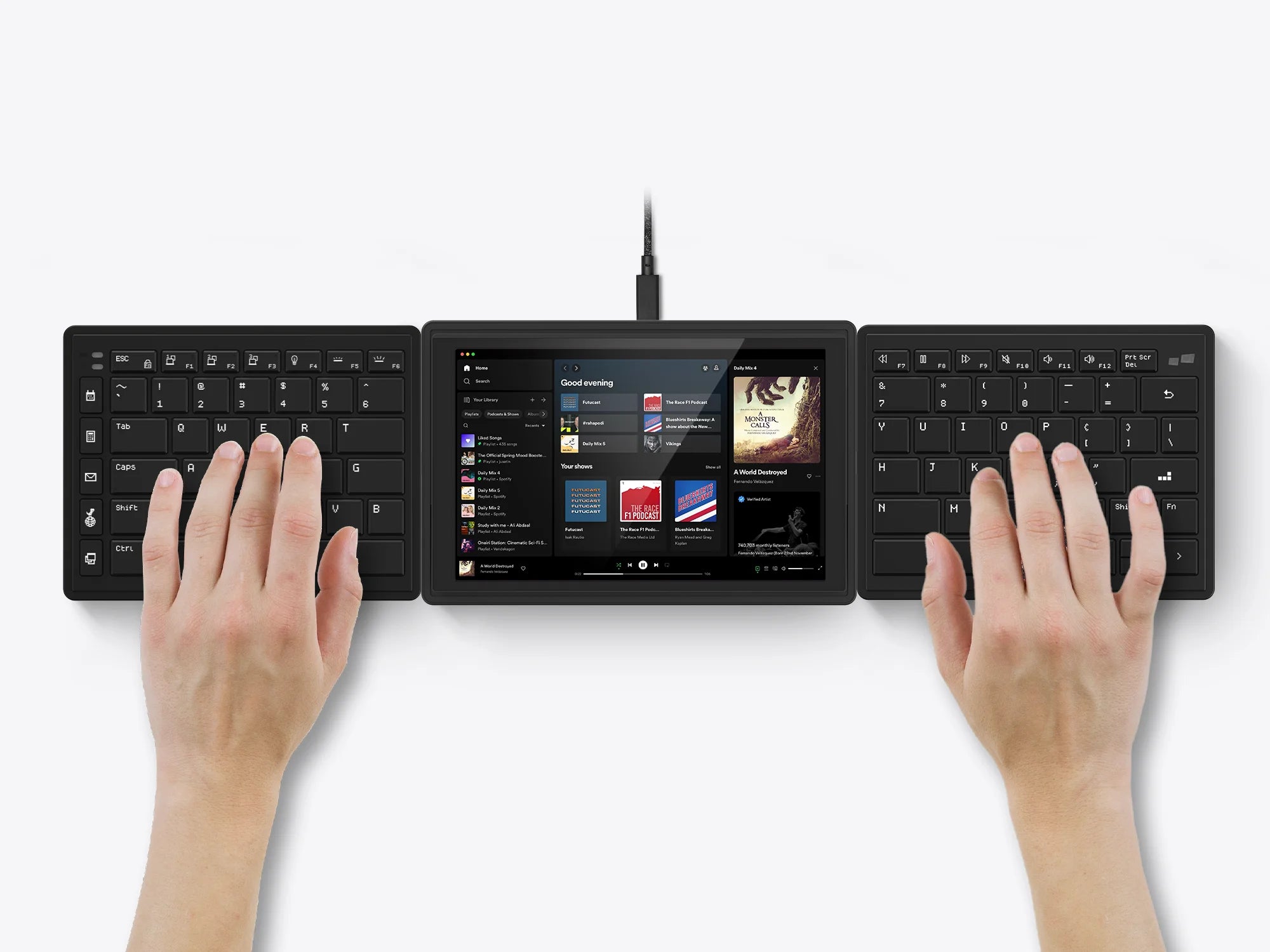
Tetra Keyboard in Splice Mode

Splice Mode

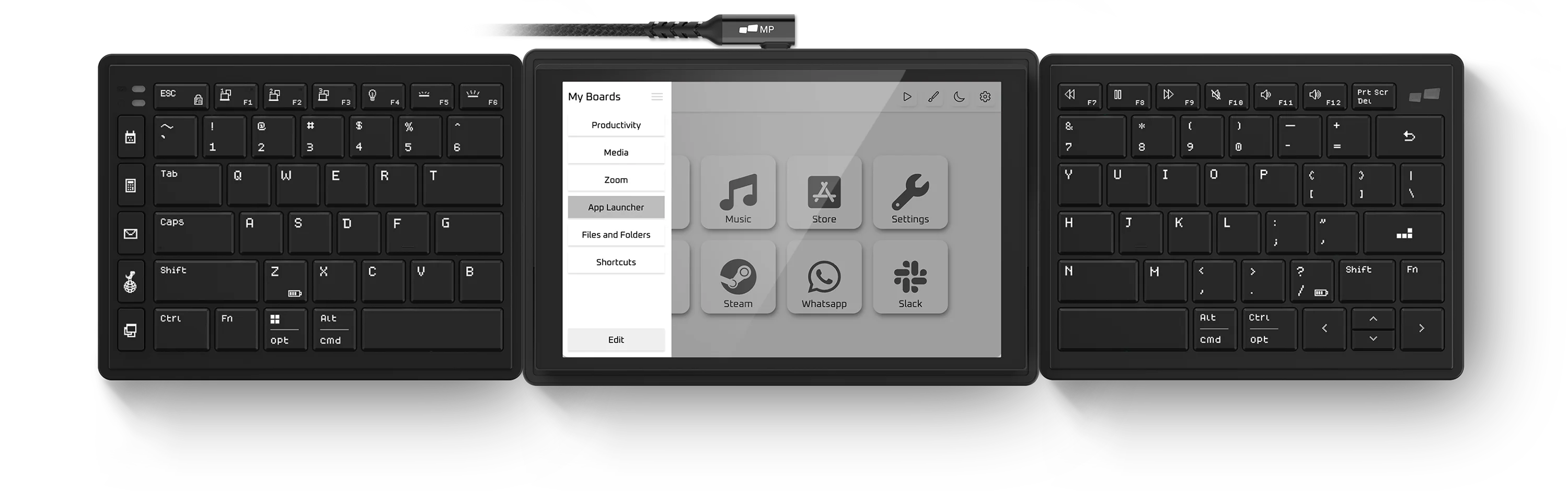
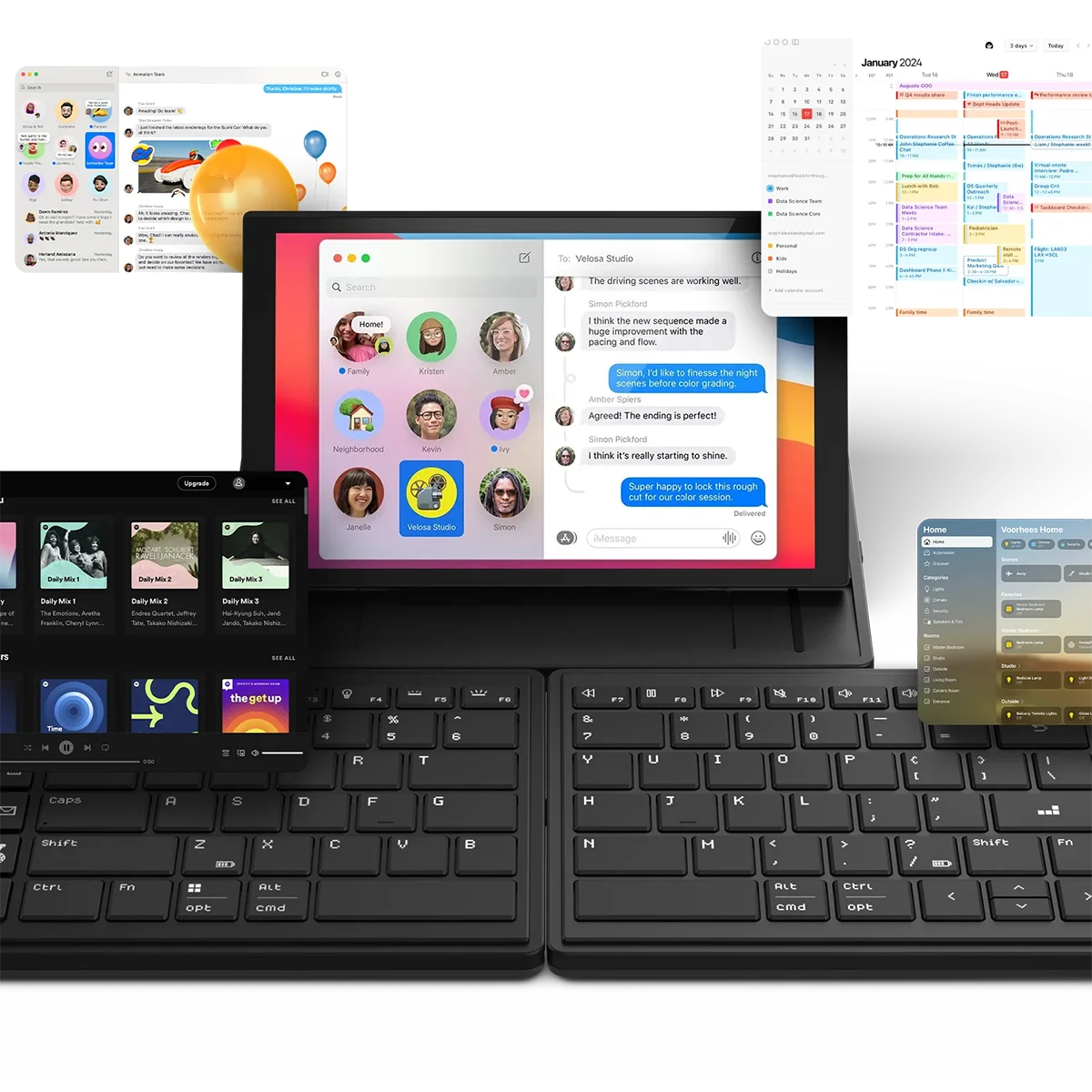
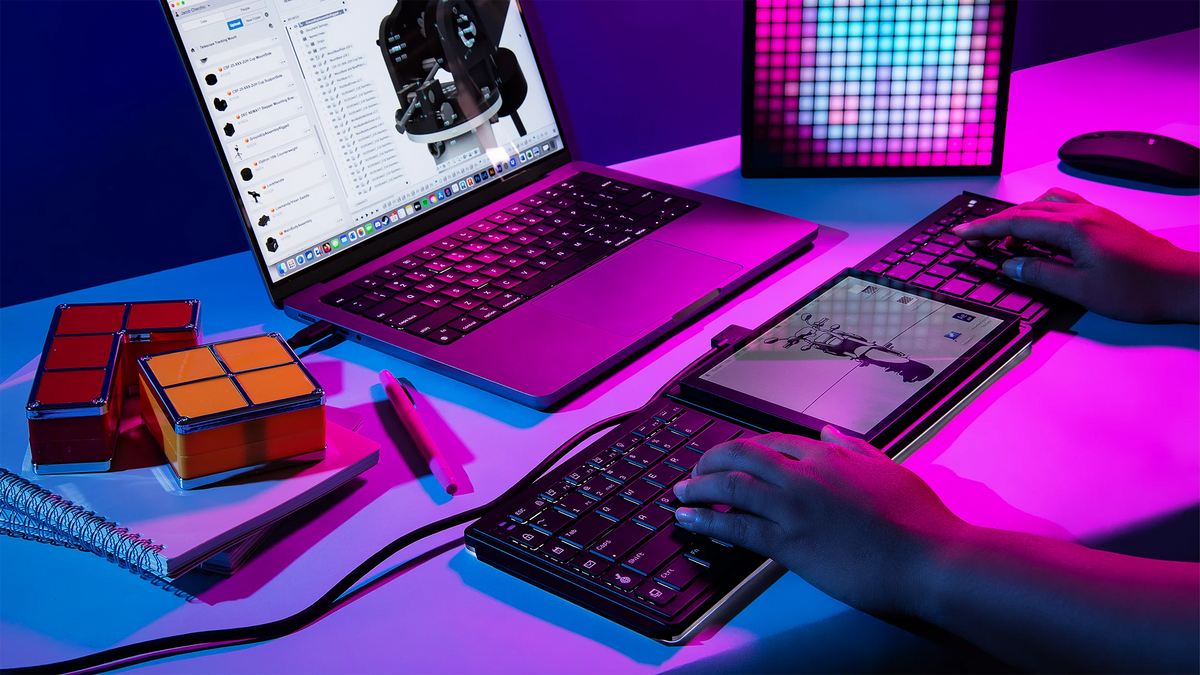
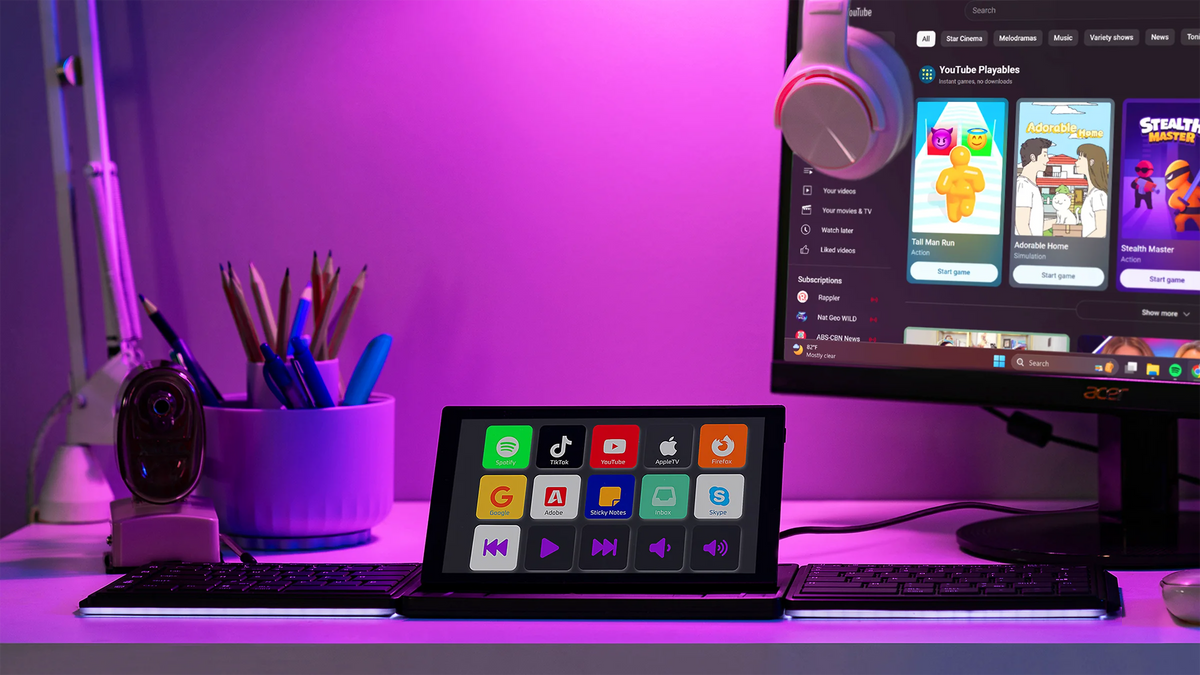
When all three components attached together magnetically in a linear format, you’ve got a comfortable split keyboard with a 8" multi-touch display in the middle. The screen functions as an extra display or a shortcut center. The keyboards get spaced out on the left and right, allowing you to type comfortably.

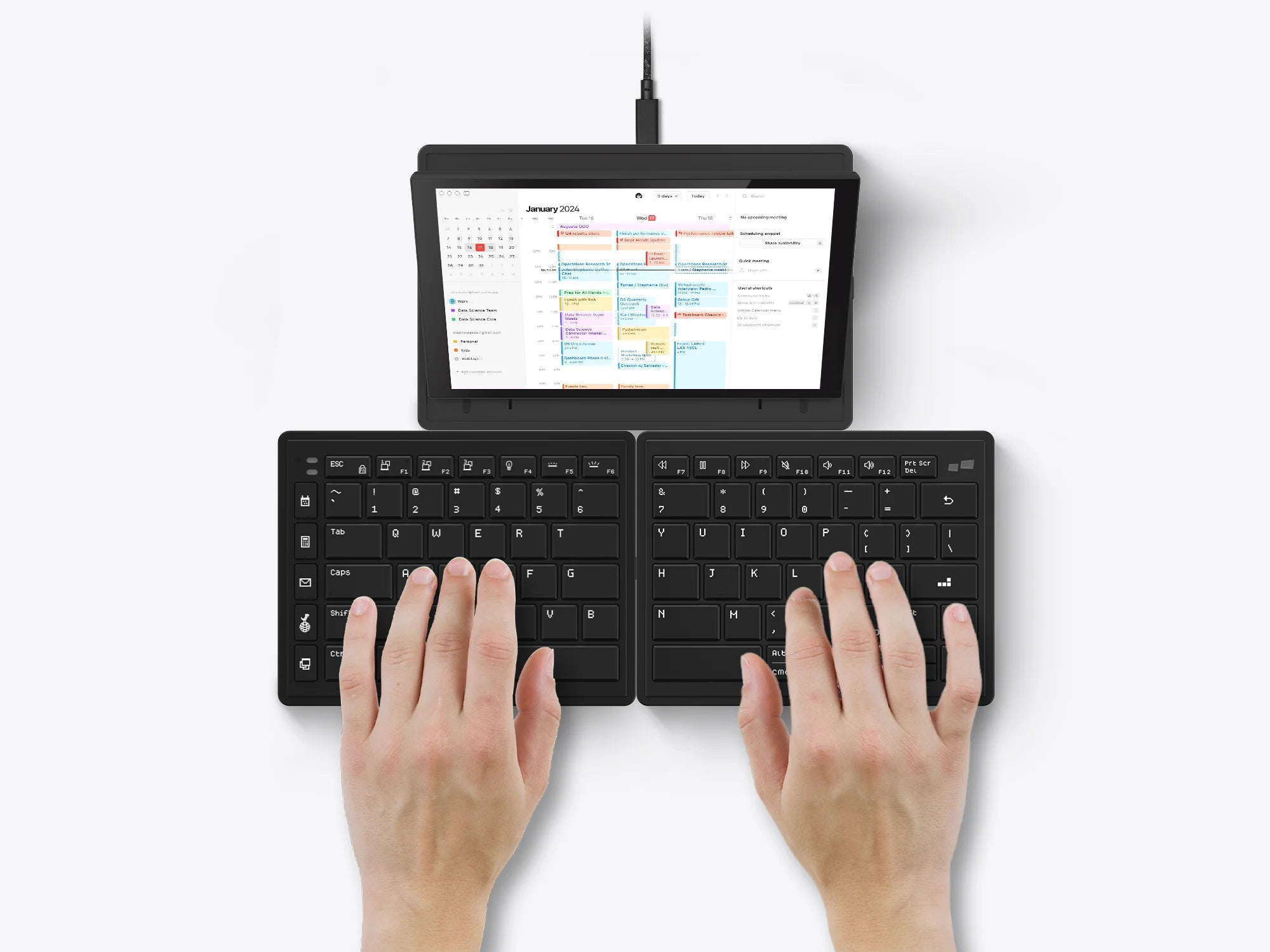
Tetra Keyboard in Stacked Mode

Stacked Mode

Stacked mode for a traditional feel. Just the two keyboard halves can be attached to each other magnetically, creating a compact typing device, while the screen exists independently.

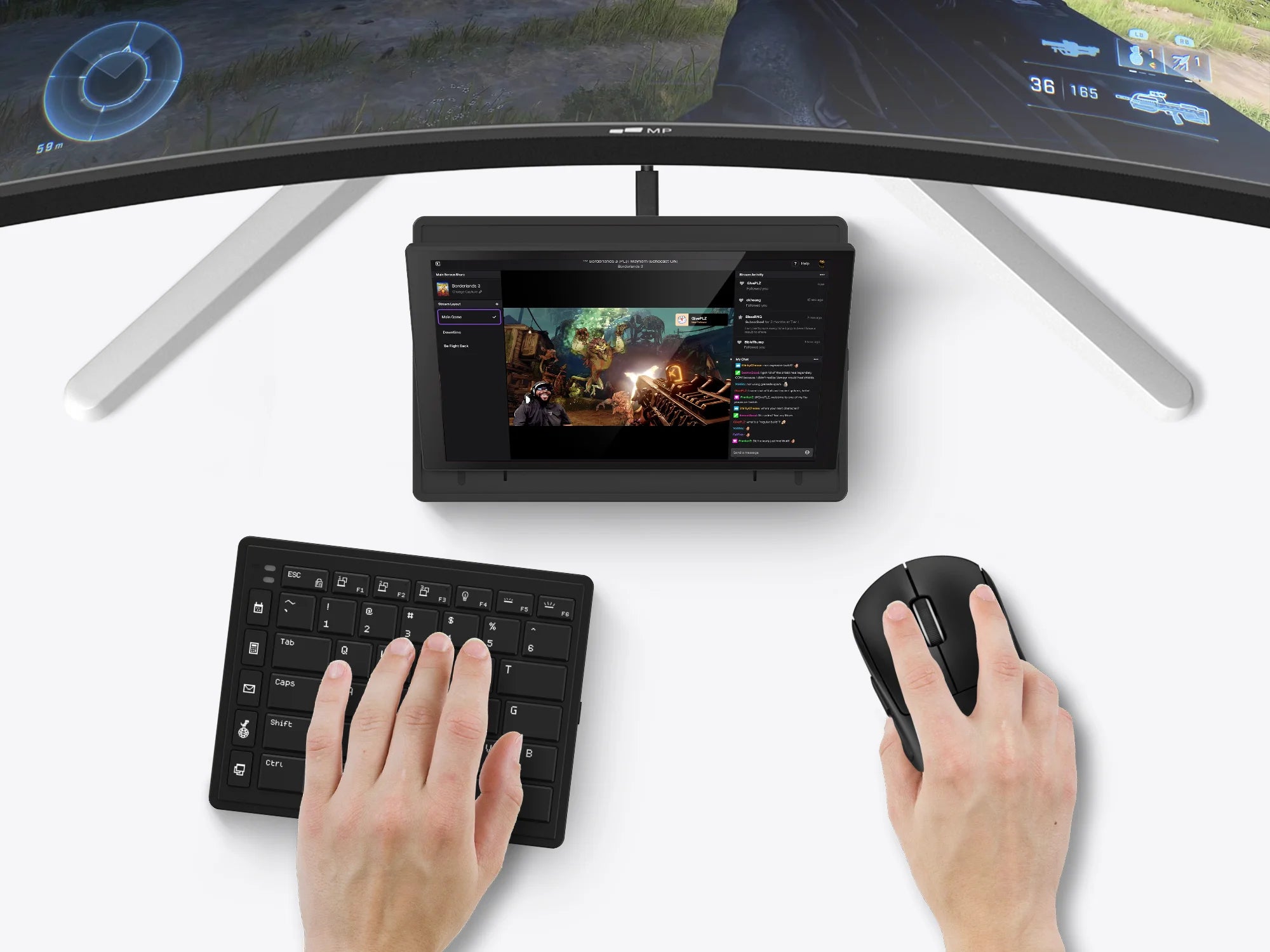
Tetra Keyboard in Game Mode

Game Mode

Full-size keyboards force gamers to reach around the keyboard to grip the mouse. This posture puts excessive strain on your wrist, elbow and shoulder. The Tetra keyboard lets you move the right half of the keyboard out of the way so you can position your mouse inside of your right shoulder for more comfort, precision, and dexterity.

Seamless Connectivity

Attaches Magnetically.

All three modular components can be snapped magnetically into place for seamless connectivity.

Tetra Keyboard with Typing Comfort and Efficiency

Unlock Typing Comfort and Efficiency.

The keyboard comes with a 65% layout. Scissor switches enable a fair amount of 1.3mm key travel, and a backlight lets you type with ease. Each half of the keyboard gets its own 1,200 mAh battery and Bluetooth radio, so they can be easily paired with the devices you want to type on. Simply snap them to the screen and pogo pins allow the Tetra keyboard to charge all the way through.

8-inch Touchscreen

Your Secondary Display.

The 8-inch multi-touch display (1280 × 800 pixels, 16:10 aspect ratio) is perfect for keeping commonly used, but infrequently accessed windows up without having to find it, such as calendars, music players, chat messages, or notes.

Tetra Ergonomic Split Keyboard with Touch Screen
Tetra Ergonomic Split Keyboard

Customizable Hotkeys

Unleashes Your Productivity.

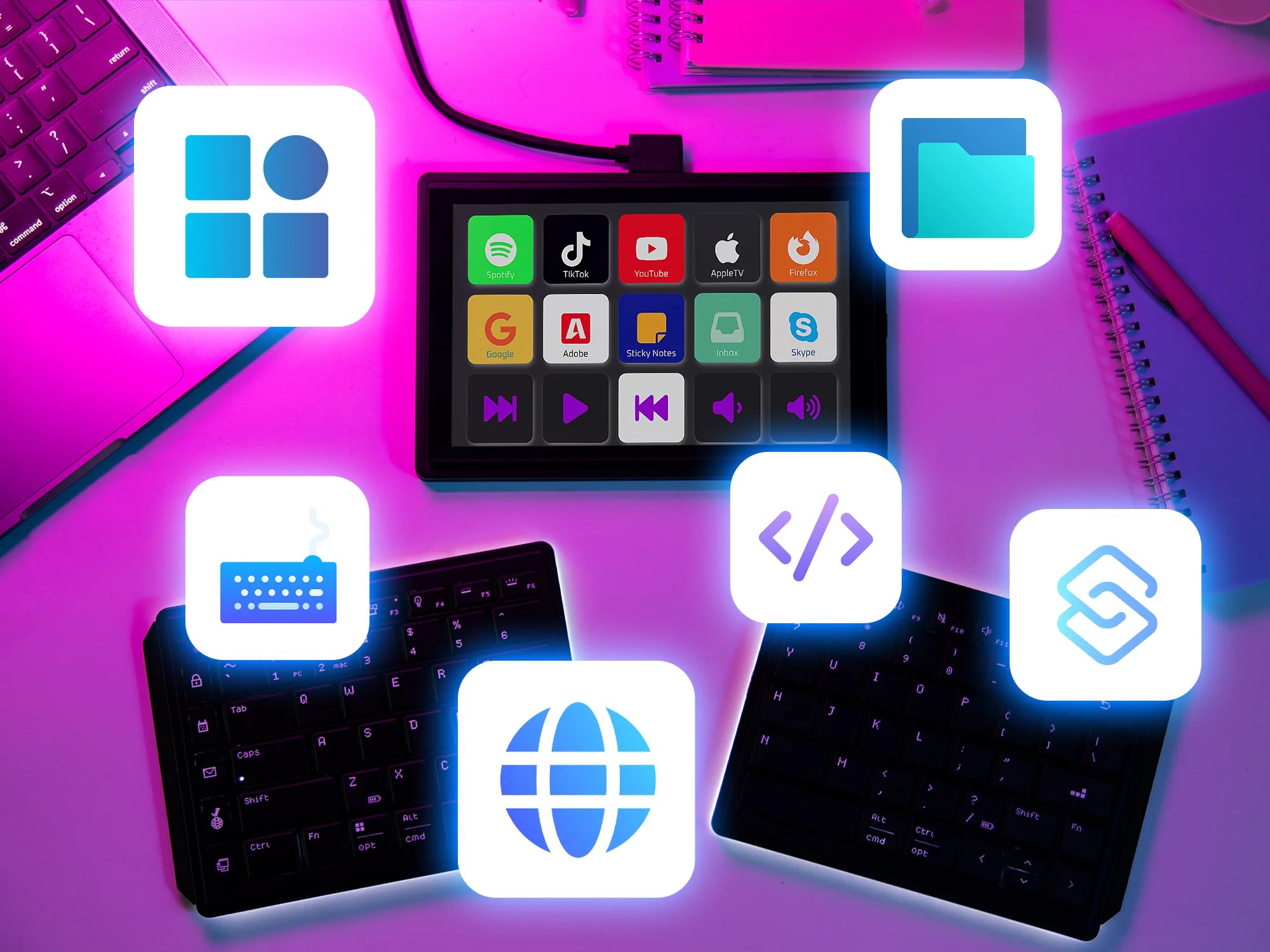
Create and switch between custom workspaces, select and customize each function, jump between software, and more like never before.

Boost Productivity with Tetra Split Keyboard
Tetra

Total Control at Your Fingertips.

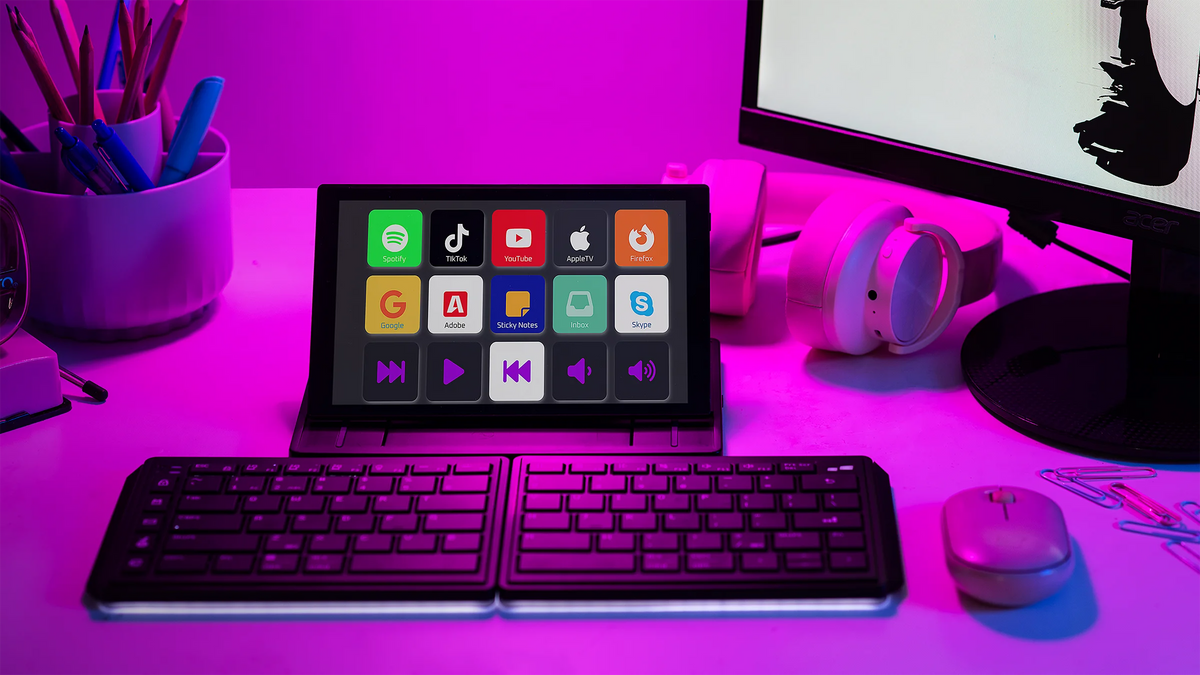
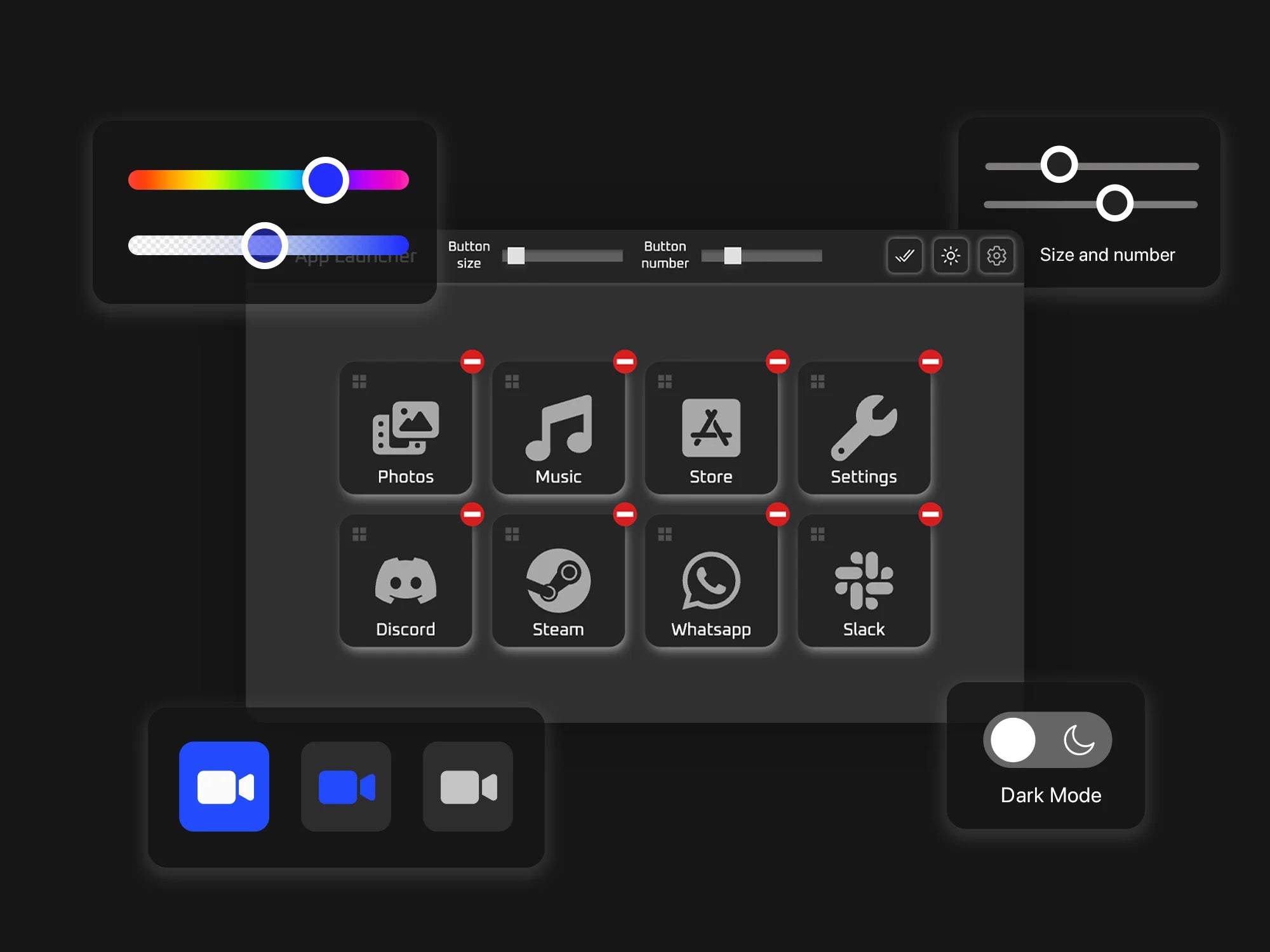
The Tetra Board App allows you to use the 8-inch touchscreen as a control dashboard. The touchscreen maps almost any application for actions and adjustments, such as creating macros, shortcuts, launching Apps, tools, opening files and folders, and more.

Tetra Ergonomic Split Keyboard with Screen

Shortcuts

App Launcher

Files & Folders

ZOOM

Tetra split keyboard with full customizable hotkeys

Fully Customizable.

Simply select actions onto keys, and assign ready-made icons or use your own. For easy visual navigation, you can customize their colors, sizes and more. Each board can be assigned up to 32 keys.

Tetra Split Keyboard is compatible with Windows and MacOS

Seamlessly Switch between OS.

We aim to let the App run seamlessly on all major desktop platforms and we are working on it. Currently, it is compatible with Windows, MacOS, and Ubuntu.

Travel Friendly

Tetra On the Go.

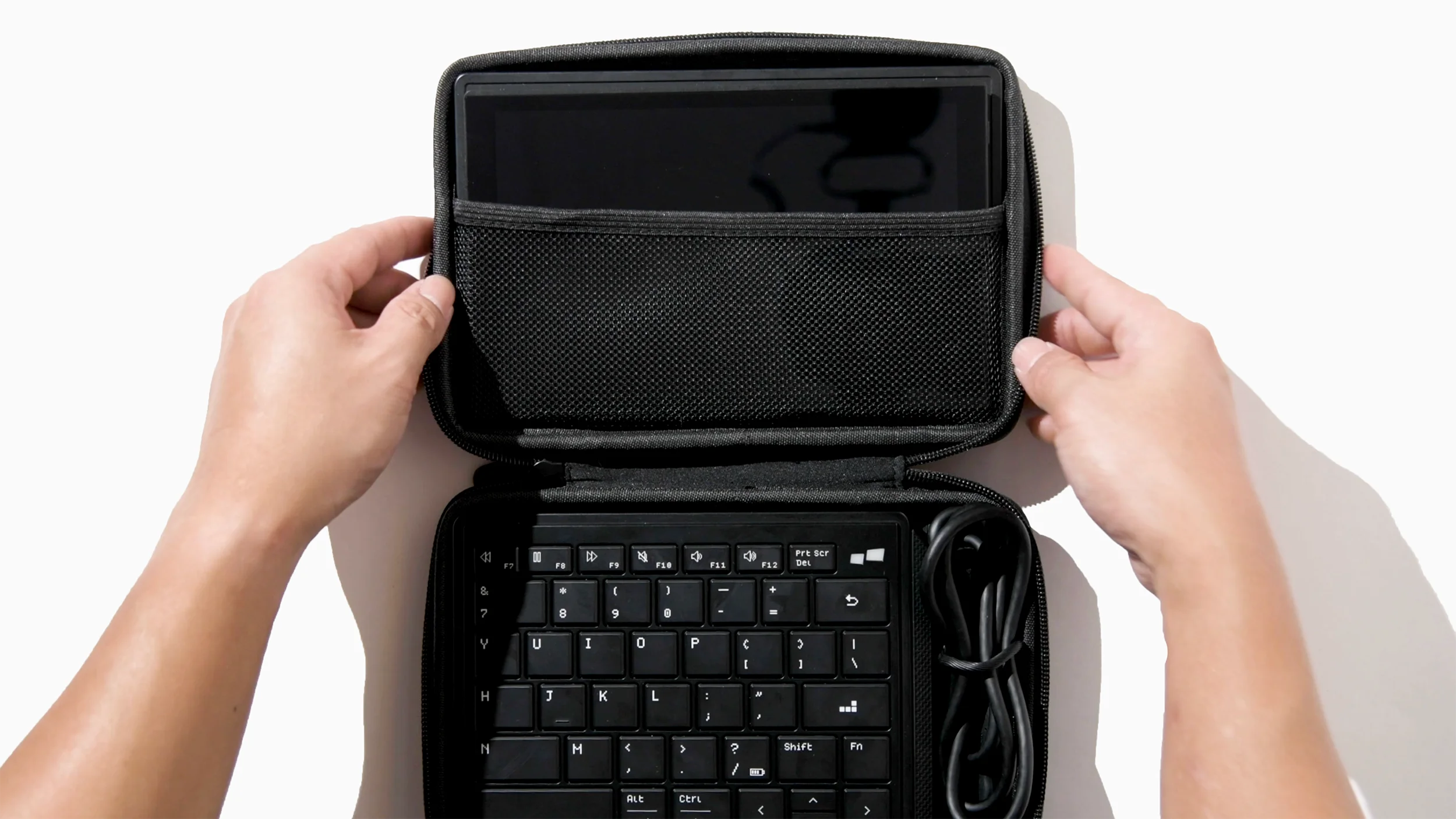
You can nicely tuck the keyboard away in your backpack because the keyboard is split. The two halves actually magnetize together when you stack the backside to each other.

Tetra is a portable keyboard

Watch video

Our new ergonomic keyboard redefines the way you work and interact with technology. With its integrated touch display, the keyboard takes convenience and functionality to new heights. Seamlessly switch between tasks, control multimedia, and access shortcuts with a simple touch.

Jack Yao | CEO of Mobile Pixels

Specifications

SKU

109-1003P01

Key Dimension

[X:19.683mm; Y:19.4mm] pitch, [2.4mm] gap

Key Rollover

2-key rollover (2KRO) on each keyboard

Key Travel

1.3±0.3 mm

Actuation Force

64±12 gf; Bottom-out: 29±10 gf

Keycaps

ABS chamfered backlit keycap, 42(left) + 43(right) keys

Switches

Scissor switches

Battery

1200mah on each keyboard

Dimension

6.77 × 5.19 × 0.54 inches (172 × 132 × 13.8 mm)

Included in the box

  • 1 × Tetra Keyboard
one USB-C cable
  • 1 × USB-C Cable with USB-A Adapter
  • 1 × Travel Pouch
  • 1 × User Guide

Downloads

Download More Drivers
Tetra

Tetra Board App

For Windows

Download

Tetra

Tetra Board App

For MacOS

Download

Tetra

Tetra Board App

For Ubuntu/Debian

Download

Overall rating: 4.938053 / 5 from 113 reviews.

AI Generated Review Summary

Summary topics

Review topics: ["fit","quality","value","work","design","connection","setup","feel","use","keyboard","investment","workspace","space","backlight","addition","choice"].

Review highlights

Reviews

Good quality, setup can be confusing

"Build quality is good, packaging is top notch. Set up was a bit confusing with needing drivers and having to setup the touch screen portion for the monitor but once that was done it’s been smooth sailing. Happy with the purchase and have recommended to friends as well."

Jeff J. (4/5)

I love it

"The product is as promoted. The only point it´s that, if you want to use the Tetra special software, you have to do some additional steps to install the drivers. It´s not hard, but it´s not that clear in the manual"

Jorge M. (5/5)

A fantastic investment

"This keyboard completely changed the way I work. I feel less strain on my wrists after long hours of typing"

Paul T. (5/5)

Great product, but not perfect

"I really like this product, and it works well for most of my needs. There are just a few small issues that keep it from being 5 stars."

Ella G. (4/5)

Perfect for multitasking

"Great value for money. I love how lightweight and portable it is without sacrificing quality"

Sarah B. (5/5)

It's alright, but not perfect

"The product works as advertised, but it doesn't feel as premium as I hoped. It's functional, but I expected more for the price."

Dg (3/5)

Great for small spaces

"It fits perfectly in my backpack and has become my go-to travel companion"

Nicole P. (5/5)

So easy to use

"I was skeptical at first, but now I can't imagine going back to a regular keyboard"

Diy D. (5/5)

Excellent for daily use

"It's amazing how much more productive I've become since switching to this keyboard"

K T. (5/5)

Game changer for me

"Typing on this feels natural and smooth, as if it were made just for me"

Chris M. (5/5)

Q&A