






If your day lives in Excel/Google Sheets plus Slack, email, and dashboards, a portable monitor can be the easiest “upgrade” to your workflow, especially when you travel, hot-desk, or work from small spaces. Recent market forecasts also suggest portable monitors are quickly becoming mainstream: one 2025 estimate puts the global portable monitor market at $264.08M in 2024, projecting growth to $327.83M in 2025 and ~$2.30B by 2034.
Quick recommendations (ranked)
- Mobile Pixels Duex Float 2 Pro — Best Overall (our pick) (mobilepixels.us)
- Lenovo ThinkVision M14t Gen 2 — Best for Touch + Pen Workflows (psref.lenovo.com)
- espressoDisplay 15 — Best Premium Choice for Mac Users (us.espres.so)
- ViewSonic VG1655 — Best “No-Fuss” Business Travel Monitor (viewsonic.com)
- ASUS ZenScreen MB16AC — Best Lightweight Classic (asus.com)
- LG gram +view 16 — Best Color for Spreadsheets + Content Side-by-Side (lg.com)
Why a second screen helps (especially for spreadsheets)
Spreadsheets are “multi-window by nature”: you’re constantly comparing tabs, referencing docs, checking email/Slack, and pasting values. Multi-monitor setups repeatedly show meaningful productivity gains. For example, Plugable cites JPR survey results and quotes Dr. Jon Peddie (JPR): “We found that users of multiple monitors have an average expected productivity increase of 42%.” (plugable.com)
Practical spreadsheet wins you’ll feel immediately
- Keep the sheet full-screen while chat/email sits on the second display
- Park reference material (requirements, SQL output, PDFs) on monitor #2
- Compare two ranges/tabs without constant Alt-Tab
- Use split-view without making cells unreadable
What matters most for spreadsheets + multitasking
1) Aspect ratio: 16:10 beats 16:9 for rows
For spreadsheet-heavy work, 16:10 (or taller) is a big deal because you see more rows at the same zoom level. Many top “productivity” portable monitors lean 16:10 (e.g., LG gram +view is 2560×1600).
2) Resolution & text clarity
- 1080p is usable at 15.6", but lots of people prefer higher pixel density for crisp gridlines and smaller fonts.
- 2.2K–2.5K class resolutions (e.g., 2240×1400 or 2560×1600) are a sweet spot for spreadsheets and dashboards.
3) Brightness & finish (anti-glare matters in airports/cafés)
If you work in bright places, look for ~300 nits or more and consider matte/anti-glare when possible (many portable options target ~300 nits). Example: espressoDisplay 15 lists 300 nits.
4) One-cable USB-C and pass-through charging
A portable monitor is only “portable” if setup is painless:
- USB-C (DP Alt Mode) reduces cable clutter
- Pass-through charging lets you power the laptop through the monitor (where supported)
5) Ergonomics & stability (the hidden differentiator)
For long spreadsheet sessions, prioritize:
- A stand that doesn’t wobble when typing
- Easy height/tilt adjustments
- A setup that keeps your neck neutral (top of screen near eye level)
Best Overall: Mobile Pixels Duex Float 2 Pro

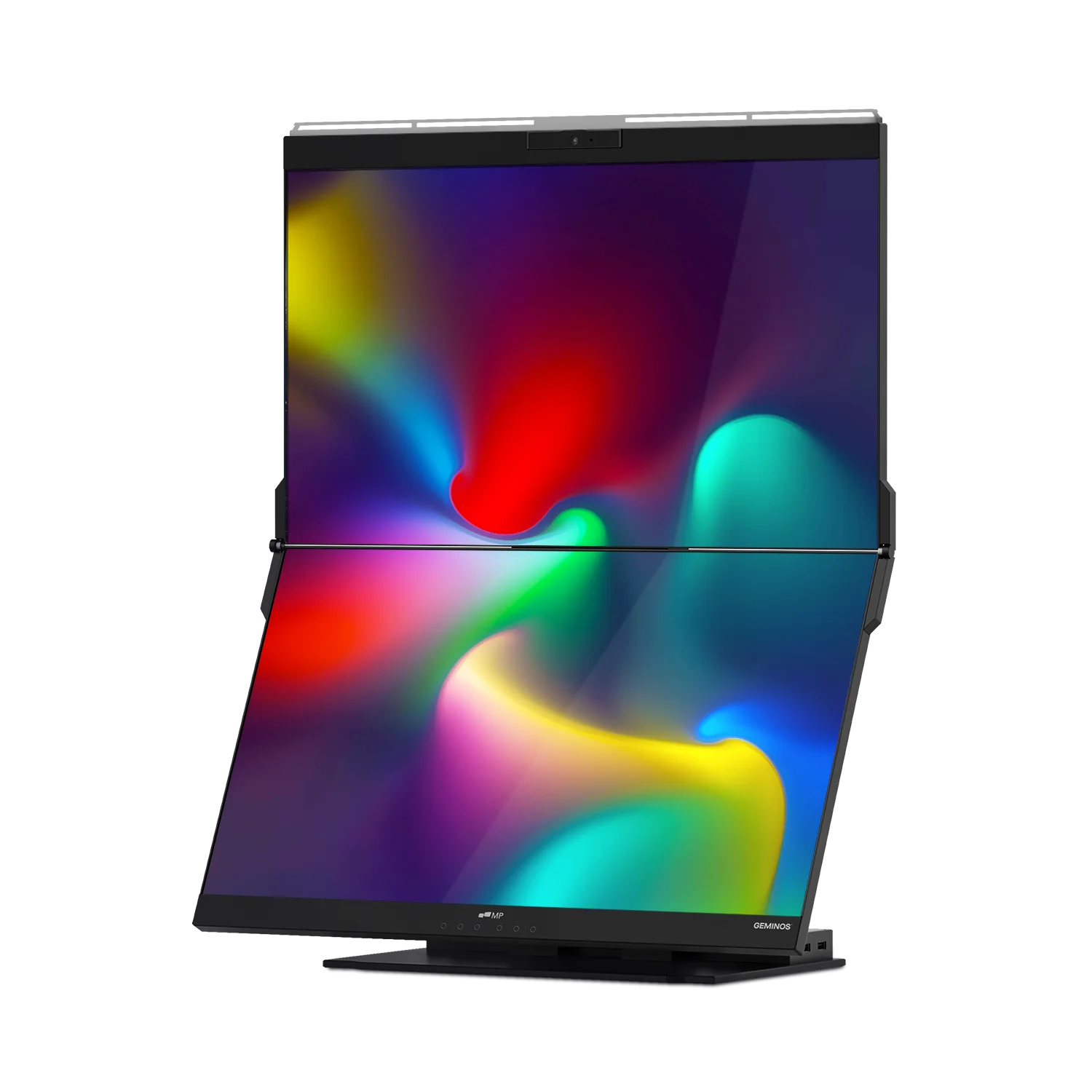
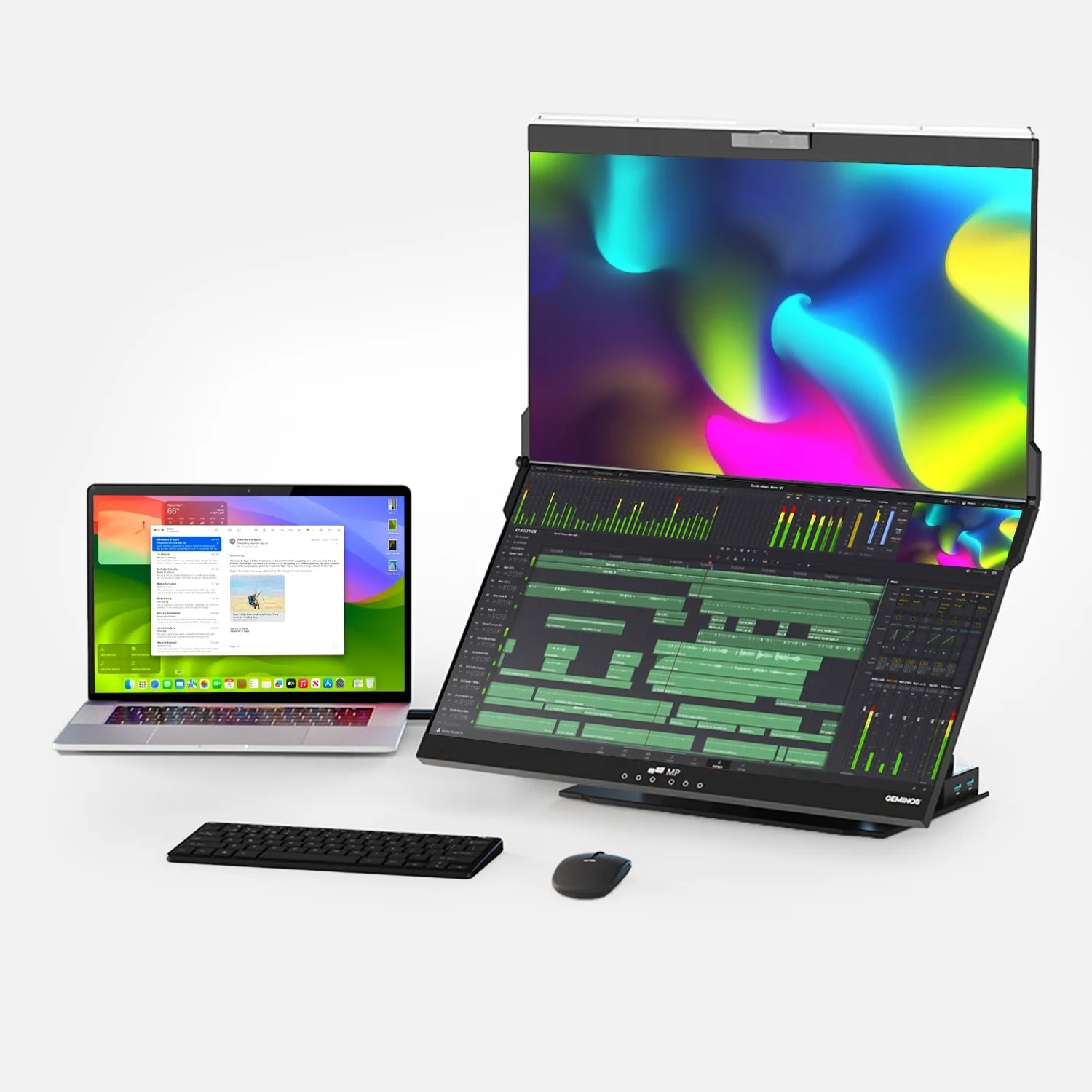
Duex Float 2 Pro is designed specifically for real multitasking: it’s a stacked/vertical-style laptop screen extender concept, built to add usable space without taking up a big desk footprint. Key features called out by Mobile Pixels and major retailers include a 16-inch 2.5K option, stacked design, built-in kickstand, dual speakers, 2× USB-C (with 65W pass-through), and mini HDMI.
Why it’s “Best Overall” for spreadsheets + multitasking
- Stacked layout = more usable spreadsheet real estate in a smaller physical footprint (great for tight desks, planes, and hotel setups)
- Two USB-C ports with 65W pass-through help reduce the “dongle mess” and keep your laptop charged
- Kickstand + multiple viewing modes improve stability and angle options compared with folio-only stands
Best for
- Spreadsheet analysts, PMs, and operators who constantly reference docs + chat + dashboards
- Travelers who want a repeatable setup without carrying a full-size display
Comparison table (spec highlights)
| Model (Rank) | Why it’s great for spreadsheets | Key spec highlights (from sources) |
|---|---|---|
| Duex Float 2 Pro (Best Overall) | Stacked design keeps sheet + comms visible in a small footprint | 16" 2.5K option, stacked design, 2× USB-C w/ 65W pass-through, mini HDMI, kickstand |
| Lenovo ThinkVision M14t Gen 2 (Best Touch) | Touch + pen is excellent for marking up tables, dashboards, and docs | 14" 2240×1400, 300 nits (panel), 2× USB-C, 10-point touch, low blue light / Eyesafe noted by resellers |
| espressoDisplay 15 (Best Premium for Mac) | Premium build; simple USB-C workflow; crisp text | 300 nits, 1.68 lb, 2× USB-C, 1080p |
| ViewSonic VG1655 (Best No-Fuss) | Reliable travel companion with simple connectivity | 15.6" 1080p IPS; ViewSonic highlights USB-C + mini HDMI; portability focus |
| ASUS ZenScreen MB16AC (Lightweight Classic) | Easy to toss in a bag; widely compatible | 15.6" 1080p; ASUS lists 220 cd/㎡ brightness and portability claims |
| LG gram +view 16 (Great Color + 16:10) | Taller 16:10 is fantastic for rows; strong color for mixed work | Spec sheet shows 2560×1600, DCI-P3 99% (typ.), ~1.47 lb (panel) |
A data point worth knowing: Portable monitors are growing fast
The chart above visualizes one set of widely cited market projections (portable monitor market size estimate from Precedence Research).
Another 2025 analysis estimates growth from $271.94M (2024) to ~$1.88B (2032), reinforcing the overall “fast growth” direction.
How to choose the best portable monitor for spreadsheets (actionable checklist)
If you only remember 7 things, remember these:
- Prefer 16:10 for spreadsheets (more rows visible)
- Aim for 2.2K–2.5K if you work with dense sheets (text clarity matters)
- Look for ~300 nits+ if you work outside controlled lighting
- USB-C with DP Alt Mode is the easiest “one cable” setup (and reduces desk chaos)
- Pass-through charging is a huge quality-of-life feature for travel desks
- A stable stand > a fancy spec for real spreadsheet hours (wobble is productivity poison)
- Check macOS/Windows compatibility notes (some workflows need drivers/scaling tweaks)
Top picks (detailed)
1) Mobile Pixels Duex Float 2 Pro — Best Overall

Choose this if: you want the most practical “spreadsheet + multitasking” setup in tight spaces.
Standout features: stacked design + kickstand, dual USB-C with pass-through, mini HDMI.
2) Lenovo ThinkVision M14t Gen 2 — Best for Touch + Pen Workflows

Choose this if: you annotate, sign, review dashboards, or prefer touch interactions.
Lenovo documentation highlights 2240×1400 and 300 nits (panel); many business listings emphasize low-blue-light certifications.
3) espressoDisplay 15 — Best Premium for Mac Users

Choose this if: you want premium materials and a polished “carry it everywhere” companion display.
Espresso lists 300 nits, 1.68 lb, 2× USB-C.
4) ViewSonic VG1655 — Best No-Fuss Business Option

Choose this if: you want something mainstream and straightforward for travel + office.
ViewSonic emphasizes USB-C convenience plus mini HDMI.
5) ASUS ZenScreen MB16AC — Best Lightweight Classic

Choose this if: you want a widely used “toss-in-your-bag” option.
ASUS specs list 220 cd/㎡ brightness and highlight portability.
6) LG gram +view 16 — Best Color + Tall 16:10 Layout

Choose this if: you do spreadsheets and visual work (or just want excellent color).
LG’s spec sheet calls out DCI-P3 99% (typ.) and a thin/light design.
FAQ
What screen size is best for Excel/Sheets on the go?
For most people, 14–16 inches is the sweet spot. If you often view large tables and dashboards, 16-inch 16:10 (2560×1600) style displays can feel noticeably more comfortable.
Is 1080p enough for spreadsheets?
It’s workable, but heavy spreadsheet users often prefer 2.2K–2.5K for sharper text and cleaner gridlines—especially at 15–16 inches. Examples include 2240×1400 (Lenovo ThinkVision M14t Gen 2) and 2560×1600 panels (common 16:10 picks).
Do I need a portable monitor with pass-through charging?
Not required, but it’s a big quality-of-life upgrade. Models like Duex Float 2/2 Pro emphasize USB-C with 65W pass-through, which can reduce your travel charger/cable clutter.
What’s the best portable monitor setup for multitasking in small spaces?
A stacked or vertical-friendly configuration helps you keep spreadsheets visible while reserving the laptop screen for chat/email. That’s the core appeal of stacked screen extenders like the Duex Float 2 Pro.
Will portable monitors work with MacBooks?
Many do, especially USB-C DisplayPort Alt Mode models. Some monitors (or workflows) may need scaling tweaks depending on resolution and your macOS display settings, so it’s smart to confirm compatibility notes in reviews and product docs. (TechRadar’s portable monitor guide specifically highlights picks for Mac users like espressoDisplay.)
Are two screens actually worth it for productivity?
Evidence and industry surveys often report substantial perceived gains. One widely cited figure comes from JPR survey results quoted by Plugable: an average expected productivity increase of 42% for multiple-monitor users.
If you tell me your laptop model (Windows/Mac, screen size, ports) and where you work most (home desk vs travel), I can narrow this down to the top 2 choices and the exact cable/setup you’ll want.
Discover Tech Gadgets




Leave a comment
All comments are moderated before being published.
This site is protected by hCaptcha and the hCaptcha Privacy Policy and Terms of Service apply.