






There is a particular kind of tension that working family caregivers know well. Your laptop is open. A deadline is approaching. And somewhere in the background, there is a parent, a grandparent, or an aging spouse who needs checking on. The work demands your full attention. So does the care. Most days, you are trying to give both — on a single screen.
This article is about how a deliberate two-screen setup changes that equation. Not by adding more complexity to your day, but by separating two very different kinds of attention into two very different visual spaces: one screen for deep work, one screen for watchful awareness. For the millions of Americans who are working remotely while caring for an elderly family member at home, this setup has become one of the most practical solutions available.
Who This Is For
This guide is written for remote and hybrid workers who are also caring for an elderly parent, spouse, or family member at home — whether full-time or part-time. It covers the reality of that dual role, the tools that make monitoring possible without constant interruption, and the specific two-screen workflow that keeps both responsibilities manageable during the workday.
The Reality: Millions Are Doing Both at Once
Working caregiving is not a niche circumstance. It is one of the defining challenges of the modern American workforce.
|
59M Americans currently providing unpaid care to a family member aged 18 or older — a 48% increase from a decade ago |
70% Of family caregivers between 18 and 64 are also employed, with 60% of them working 40 or more hours per week Source: Aging in America / NAC-AARP 2025 |
|
67% Of working caregivers report difficulty balancing their jobs with caregiving duties Source: AARP / S&P Global 2024 |
84% Of working caregivers rate remote work as "very helpful" for managing their caregiving responsibilities |
What the statistics cannot capture is the cognitive load of living in this dual state: one part of your mind on a project, another part alert to the sound of a fall, a call for help, or unusual silence from the next room. Remote work has been a lifeline for many caregivers — a 2024 S&P/AARP survey found that 72% of working caregivers with telework options use them — but it has not resolved the fundamental tension of being a focused professional and an attentive caregiver at exactly the same time.
"As the backbone of America's long-term care system, providing $600 billion every year in unpaid labor, family caregivers need and deserve greater support from their own employers."
Susan Reinhard, Senior Vice President, AARP Public Policy Institute
The Problem with One Screen and Two Responsibilities
When caregivers work from a single laptop screen, the management of two separate responsibilities collides in one small visual space. The monitoring camera feed is minimized behind the work application. The medication reminder app is buried beneath the email client. Every check-in on a parent requires interrupting a focused task — clicking away from the document, scanning the feed, reassuring yourself, then navigating back.
That interruption cycle has measurable costs. Jon Peddie Research consistently reports a 42% average productivity increase with dual-monitor setups, with the core explanation being that constant context switching between windows breaks concentration and forces the brain to re-orient with every task switch. For a working caregiver, those switches happen not just between professional applications, but between professional work and monitoring alerts, all on the same screen.
There is also an anxiety cost. When caregiving information is hidden behind your work application, there is a persistent background worry: is everything okay? That low-level anxiety is a drain on focus even when nothing is wrong. The solution is not to monitor less — it is to make monitoring ambient rather than interruptive.
How the Two-Screen Model Separates Work and Care Attention
Screen One: Deep Work
- Active work document or application
- Video calls and presentations
- Email client when in use
- Research and reference materials
- Code editor, spreadsheet, design tool
Screen Two: Ambient Awareness
- Home camera or monitoring feed
- Wearable health alert dashboard
- Medication reminder app
- Care coordination messages
- Caregiver app notifications
The key insight: Screen Two requires only peripheral vision, not active attention. When something changes, you notice it without interrupting Screen One.
The Monitoring Tools Worth Having on Your Second Screen
The second screen only works as ambient awareness if the right tools are on it. Here is a practical breakdown of what experienced working caregivers use, organized by category.
📷 Home Camera and Video Monitoring
A simple, always-on camera feed in the living room, kitchen, or wherever your family member spends most of their day is the most common tool caregivers use for real-time awareness. The key principle, as certified dementia specialists emphasize, is consent and placement: always discuss monitoring openly with your family member, and use cameras in shared living spaces only, never bedrooms or bathrooms.
- Ring Indoor Cam, Blink Mini, Google Nest Cam: Straightforward, affordable, and accessible via browser or app. The browser view can be pinned to a corner of Screen Two without needing a dedicated app window.
- Livindi, Aloe Care Health: More comprehensive systems designed specifically for elder care, with built-in fall detection, environmental sensors, and two-way audio. More appropriate for higher-dependency situations.
According to the 2025 NAC/AARP caregiving report, the use of remote monitoring devices among family caregivers has nearly doubled since 2020 — from 13% to 25% of caregivers — reflecting how rapidly this practice has become normalized.
⌛ Wearables and Fall Detection
Wearable devices are particularly valuable because they provide real-time alerts when a camera cannot: when your family member is in a room with no camera, or when they have fallen and are on the floor out of the camera's frame.
- Apple Watch: Automatic fall detection (Series 4 and later) with emergency SOS and a caregiver notification system via the Health app. Many older adults accept it because it functions as a watch and activity tracker, not a medical device.
- Medical alert pendants (Lively Mobile Plus, Bay Alarm Medical): GPS-enabled, two-way communication, automatic fall detection. The caregiver dashboard is web-accessible and can sit open on Screen Two.
- Samsung Galaxy Watch: Fall detection and emergency contact features comparable to Apple Watch, compatible with Android devices.
💊 Medication Management
Missed or incorrect medication doses are one of the most common and preventable health risks for older adults at home. Studies show that patients using virtual medication reminders demonstrate a 30% improvement in medication adherence compared to those without reminders.
- Hero Smart Pill Dispenser: Automated dispensing with a companion app that shows caregiver a live dashboard of whether doses have been taken. The dashboard is browser-accessible.
- Medisafe, CareZone: App-based medication reminder and tracking tools with caregiver access. Alerts appear on the caregiver's phone or can be viewed in a browser tab kept open on Screen Two.
👥 Care Coordination Apps
When multiple family members, paid caregivers, or healthcare providers are involved in care, a coordination app keeps everyone aligned without flooding your work inbox.
- Caring Village: Covers care task management, medication schedules, shared notes, and wellness updates in one dashboard. The web portal is well-suited to Screen Two.
- CaringBridge, CareZone: Lighter-weight alternatives focused on updates and coordination across the care circle.
Setting Up Your Two-Screen Caregiving Workspace
The physical setup of a two-screen caregiving workspace matters as much as the software running on it. The goal is an arrangement where Screen Two requires only peripheral vision — you register changes without turning your head or shifting your focus away from your primary work.
Screen Placement
Position Screen Two at a slight angle to your dominant eye side, adjacent to your primary monitor. This allows you to catch motion, alerts, or significant changes with a natural peripheral glance rather than a deliberate head turn. Keep the monitoring tools at the edge of this screen, not center, to reduce the temptation to actively watch rather than passively monitor.
What to Keep on Each Screen
| Screen One (Primary) | Screen Two (Ambient) |
|---|---|
| Your main work application (document, code, design) | Home camera or monitoring feed |
| Video call window during meetings | Wearable alert dashboard (medical alert or Apple Health) |
| Active email or Slack when managing messages | Medication tracker (open browser tab) |
| Browser tabs for research or reference | Care coordination app (Caring Village or similar) |
| Anything requiring active concentration | System clock and calendar for care appointment reminders |
Managing Notification Discipline
The value of Screen Two is ambient awareness, not alert overload. Configure your monitoring apps so that only significant events generate a sound or popup — a fall detection alert, a missed medication dose, or a camera motion alert. Routine check-in information should be visible but silent. This keeps your focus on Screen One while ensuring you cannot miss what actually matters.
A Practical Note on the Second Screen Itself
Many working caregivers find themselves working from different rooms of the house at different points in the day: at the home office desk in the morning, at the kitchen table when their family member needs to be nearby, occasionally from the living room couch when physical proximity matters more than ergonomics. A fixed external monitor solves the second-screen problem at a desk but becomes useless the moment you move.
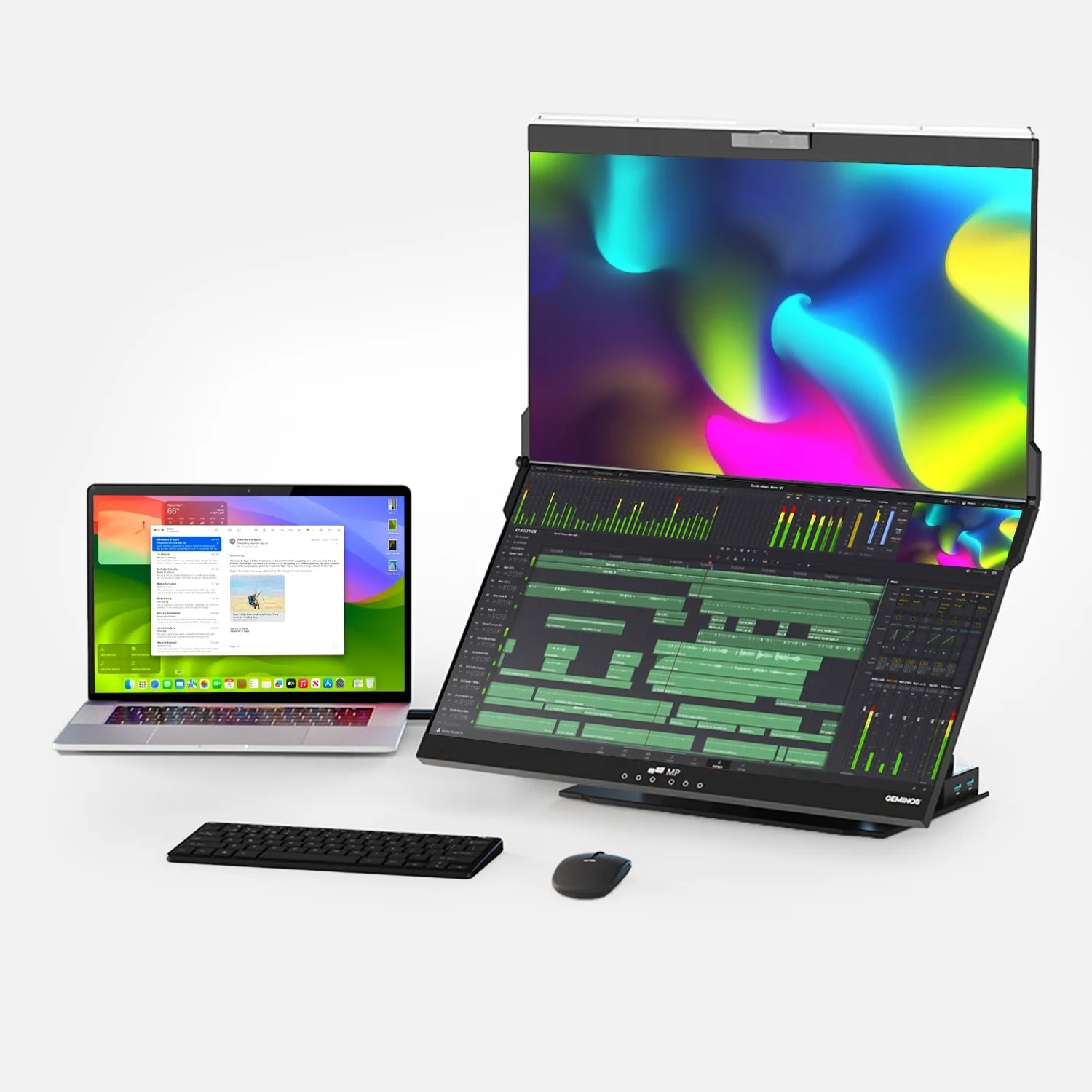
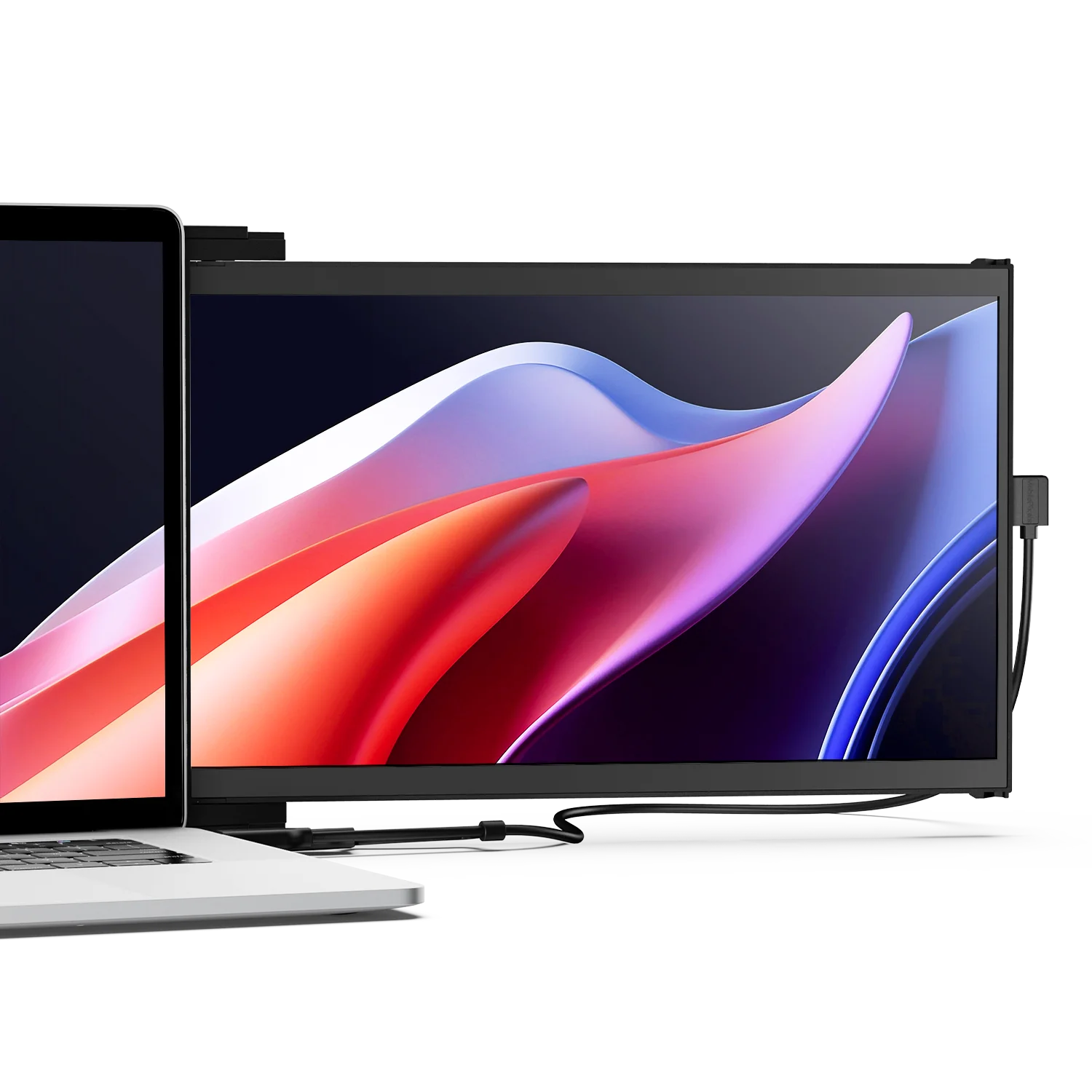
For caregivers who find themselves relocating throughout the house during the workday, the Mobile Pixels Duex Float 2 Pro is a practical option worth considering. It attaches magnetically to the back of a laptop lid and slides out to the side on demand, providing a full 1080p IPS second screen from a single USB-C cable. Because it travels as part of the laptop, the second-screen caregiving setup moves with you from the desk to the kitchen table to wherever in the home you need to be. Setup takes under ten seconds. There are no stands to reposition, no additional power cables, and no desk footprint required.

Practical Recommendation
Mobile Pixels Duex Float 2 Pro
A laptop-attached second screen that moves with you throughout the home. Connects via one USB-C cable. No separate power adapter or stand. Magnetic mount, slide-out design, 1080p IPS display. Useful for any working caregiver who needs a second screen in more than one room.
See the Duex Float 2 Pro →Workflow Strategies That Make Dual Roles More Sustainable
The two-screen setup is a physical tool. It needs to be paired with intentional workflow practices to be sustainable across a full work week. These are the strategies that working caregivers report as most effective:
Structure Care Check-Ins Around Work Boundaries
Rather than checking on your family member reactively every time anxiety spikes, build in structured, brief check-in moments at natural transitions in your workday: between tasks, at the start of each hour, or at regular intervals you decide in advance. Use Screen Two to confirm everything is stable at those moments, then return to Screen One for the next focused block. This gives you the reassurance of regular contact without turning every ten minutes into an interruption.
Use Alert Triage, Not Alert Overwhelm
Set alert thresholds deliberately. A motion-detection camera that triggers for every person walking past will numb you to alerts within a day. Configure systems so that alerts fire on meaningful events — an unusual absence of motion for a set period, a fall detection trigger, or a missed medication dose — not on routine activity. The same discipline applies to care coordination apps: check them at set times rather than keeping them on constant push notification.
Communicate Your Situation to Your Manager
AARP's 2024 workforce report found that 80% of caregivers believe companies are more understanding of childcare responsibilities than adult caregiving — meaning many working caregivers feel invisible. If your setup requires occasional brief responses to care situations during work hours, being transparent with your manager about this reality is almost always better than managing it invisibly. Many employers now offer caregiver support programs, flexible scheduling, and formal leave policies that caregivers do not know about because they never asked.
Protect Your Deep Work Hours
Identify two or three hours in your workday when your family member is most settled — after breakfast, during a post-lunch rest period, or during an activity with a paid aide or day program — and protect those hours fiercely for your most cognitively demanding work. Use those windows for writing, analysis, coding, or any task that requires sustained concentration. Schedule calls, administrative work, and flexible tasks around them.
Build Caregiver Support Into Your Own Routine
AARP reports that 56% of family caregivers experience financial strain, and a significant proportion report burnout and reduced wellbeing. The two-screen setup reduces operational stress, but it does not replace personal rest, social connection, or professional caregiver support. Build these into your week with the same intention you would apply to a recurring work meeting — because they are not optional.
Where Technology Is Heading for Working Caregivers
The tools available to working caregivers are improving at pace with the scale of the need. Several trends are worth tracking for anyone building a long-term caregiving workspace:
- AI-powered passive monitoring. Systems like Homesight by Vantiva use AI to establish a baseline of normal daily patterns — when the person wakes, moves through the house, takes meals — and flag deviations rather than requiring constant caregiver attention. This is the evolution of ambient monitoring: rather than watching, you are alerted when the pattern changes.
- Telehealth integration. The telehealth market is projected to grow from $176 billion in 2024 to $227 billion in 2025 — a 28.9% annual increase. For working caregivers, this means more health appointments can be handled via video from home, reducing the need to take time away from work for in-person medical visits.
- Employer caregiver benefit expansion. A growing number of employers are adding elder care benefits — including subsidized professional care coordination, emergency backup care, and caregiver support hotlines — as part of employee benefit packages. As the scale of the caregiver workforce becomes clearer, pressure on employers to support it is increasing.
- Smart medication management. Automated pill dispensers with caregiver notifications are becoming standard home tools. Systems that combine dispensing with tracking, two-way communication, and pharmacy coordination reduce one of the most common daily caregiving stressors to a dashboard alert.
Caregiver Remote Monitoring Device Adoption (% Using at Least One Device)
2025
2020
Source: NAC/AARP Caregiving in the U.S. 2025 Report — includes home cameras, wearables, and smart monitoring devices used by family caregivers.
Frequently Asked Questions
How many people are working while also caring for an elderly family member?
Estimates vary based on definition, but the most current data from the 2025 NAC/AARP report counts approximately 59 million Americans providing unpaid care to a family member aged 18 or older. Of those caregivers between the ages of 18 and 64, approximately 70% are also employed, with 60% working full time. In practice, this means tens of millions of Americans are managing professional responsibilities alongside caregiving duties on any given workday.
Is it appropriate to use a camera to monitor an elderly parent at home?
Yes, with the right approach. The critical requirements are consent, transparency, and placement. Your family member should know a camera is present, understand its purpose, and know who has access to the feed. Place cameras in shared living areas only — living room, kitchen, hallway — never in bedrooms or bathrooms. For family members who are resistant to cameras, motion sensors and daily check-in apps provide monitoring without visual surveillance. The goal is safety without compromising dignity.
Does a second screen genuinely improve productivity for remote workers?
Yes, consistently across multiple independent research studies. Jon Peddie Research reports an average 42% productivity increase with dual-monitor setups. The University of Utah study found a 44% improvement for specific task categories. The mechanism is straightforward: constant window switching breaks concentration and forces cognitive re-orientation with every application change. A second screen eliminates many of those switches by keeping multiple information sources simultaneously visible.
What should I put on the second screen versus the primary screen?
Your primary screen should hold whatever requires active, focused attention: the document you are writing, the code you are reviewing, the spreadsheet you are building. Your second screen should hold ambient awareness tools that you monitor with peripheral vision rather than active attention: the home camera feed, the wearable alert dashboard, the medication tracker, and care coordination messages. The test is whether something requires you to look directly at it and think, or simply whether it needs to be visible so you notice if something changes.
What is the best fall detection option for an elderly parent at home?
The best option depends on what your family member will consistently use. The Apple Watch (Series 4 and later) offers automatic fall detection with emergency SOS and caregiver notification, and many older adults accept it because it looks and functions as a regular smartwatch. Medical alert pendants from brands like Lively Mobile Plus or Bay Alarm Medical are purpose-built for fall detection with dedicated response centers. Camera-based AI systems can detect falls without requiring the person to wear anything, which is useful for family members who resist wearables. Most caregivers use a combination of a wearable for mobility and a camera for home coverage.
Should I tell my employer that I am also a caregiver?
In most situations, yes. AARP's research shows that most caregivers who disclose their situation to supportive employers experience better outcomes than those who manage it invisibly. Many employers have caregiver support benefits — including emergency backup care, flexible scheduling, employee assistance programs, and formal leave options — that are not well advertised. The 2024 AARP/S&P Global survey also found that 72% of caregivers with telework options actively use them, and employers who understand this are increasingly accommodating it as a retention strategy.
What is the best medication management tool for a working caregiver?
For a working caregiver who cannot be physically present for every dose, the Hero Smart Pill Dispenser is the most comprehensive option: it automates dispensing, locks other compartments to prevent double-dosing, and sends the caregiver an alert if a dose is missed. For a lighter-weight approach, Medisafe or CareZone provide app-based reminders with caregiver notification when doses are missed. Both have web dashboards suitable for Screen Two monitoring. Studies confirm that these digital reminder systems improve medication adherence by approximately 30% compared to relying on unassisted memory.
How do I handle an emergency while I am in a work meeting?
Having a clear emergency protocol in advance reduces the cognitive load in the moment. Decide in advance: who is your first call if you cannot respond immediately (a neighbor, a paid aide, another family member)? Are those people's numbers accessible on Screen Two? If your monitoring shows something serious, excuse yourself clearly and briefly from the meeting — most colleagues understand a family emergency. For very high-dependency care situations, consider a paid aide or companion during the hours you have the most important meetings, providing a physical presence that supplements your remote monitoring.
Is there financial assistance available for family caregivers?
Yes, though availability varies significantly by state. Medicaid Home and Community-Based Services (HCBS) waiver programs now operate in over 30 states and can fund in-home support as an alternative to nursing home placement. Some states have paid family leave programs that provide partial wage replacement for caregiving leave. The National Alliance for Caregiving and AARP both maintain updated state-by-state resources. Employer-sponsored Employee Assistance Programs (EAPs) often include elder care consultation and referral services that many employees do not know about. A geriatric care manager — a professional who assesses elder care needs and navigates available resources — can often identify funding options that families are not aware of.
Discover Tech Gadgets





Leave a comment
All comments are moderated before being published.
This site is protected by hCaptcha and the hCaptcha Privacy Policy and Terms of Service apply.